What Does “Re” Mean in an Email?
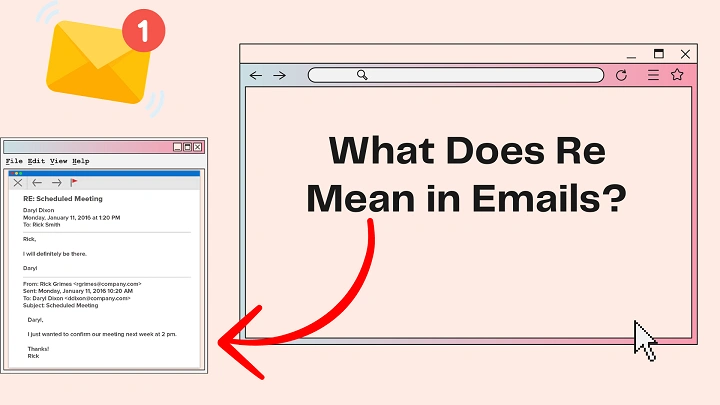
The term “Re” in an email appears in the subject line and usually means that the message is part of a reply or ongoing conversation. When you reply to an email, most email services automatically add “Re:” before the original subject to show that the discussion is continuing.
For example, if the original email subject is “Meeting Schedule”, a reply will appear as “Re: Meeting Schedule”. This helps both the sender and receiver understand that the email belongs to the same conversation.
Meaning of “Re” in Email
The abbreviation “Re” comes from the Latin word “regarding,” which means “about” or “concerning.” In email communication, it indicates that the message relates to a previous topic.
So when you see Re: in an email subject line, it usually means:
- The email is a reply
- The topic is continuing
- The message relates to a previous email
- The conversation is ongoing
When “Re” Appears Automatically
Most email platforms automatically include Re: when you reply to a message.
Examples include:
This automatic feature helps keep email threads organized.
When to Use “Re” Manually
Sometimes people add Re: manually in a subject line when they want to indicate the topic of the email.
Example:
Re: Project Update
In this case, it simply means the email is about the project update, even if it is not a reply.
Why “Re” Is Useful
Using Re: in emails provides several benefits:
- Keeps conversations organized
- Makes emails easier to track
- Helps identify replies quickly
- Saves time searching emails
It allows users to follow discussions without confusion.
Difference Between Re and Fwd
These two email terms are often confused:
- Re: means Reply
- Fwd: means Forward
A forwarded email shares a message with another person, while a reply continues the conversation with the original sender.
Final Thoughts
“Re” in an email simply indicates that the message is related to a previous conversation or topic. It helps organize email threads and makes communication easier to follow. Understanding this small detail can help you manage your emails more efficiently and communicate more clearly.