How to Get Started With Shopify MCP?
If you have been hearing about Shopify MCP and wondering what it means, you are not alone. Many store owners, developers, and digital teams are starting to explore new ways to connect tools, automate tasks, and simplify store operations. That is where Shopify MCP begins to attract attention.
So, how do you get started with Shopify MCP?
The answer depends on what you want to achieve. If your goal is to make your Shopify store more connected, more efficient, and easier to manage with modern tools, understanding Shopify MCP can be a smart step forward. While the term may sound technical at first, the idea behind it is much easier to understand when broken into simple terms.
In this guide, we will walk through what Shopify MCP means, why it matters, how beginners can approach it, and what steps you can take to start using it with confidence.
What Is Shopify MCP?
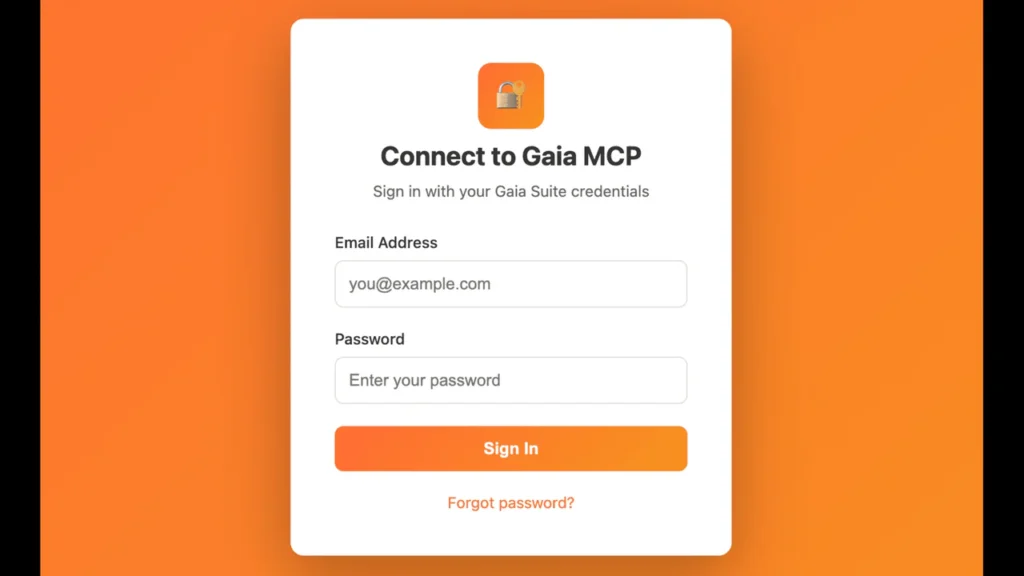
Before getting started, it helps to understand the idea behind the term.
MCP often refers to a framework or protocol that helps different systems communicate more effectively. In the Shopify context, it is generally discussed in relation to connecting Shopify data, store actions, and external tools in a structured and intelligent way.
In simple words, Shopify MCP can help create a smoother connection between your Shopify store and the systems, apps, or AI-driven tools you want to use. Instead of managing every task manually, MCP-style workflows can make it easier to access store information, trigger actions, and improve productivity.
For example, you might use a connected workflow to:
- Pull product data from your Shopify store
- Review inventory information in real time
- Access order details more efficiently
- Support automation across customer service or operations
- Integrate Shopify with AI-powered assistants or custom tools
This is why interest in Shopify MCP is growing. It represents a more connected way of working with ecommerce data.
Why Shopify MCP Matters
Shopify stores are no longer run by one tool alone. Most ecommerce businesses use multiple apps, dashboards, systems, and workflows. As stores grow, managing everything manually becomes slower and more complicated.
That is where a structured connection model becomes useful.
Shopify MCP matters because it can help:
- Improve how tools interact with your Shopify store
- Reduce repetitive manual work
- Make store data easier to access and use
- Support automation and custom workflows
- Create a more scalable ecommerce operation
For business owners, this can mean less time spent on repetitive tasks and more time focused on growth. For developers and technical teams, it can mean building smarter systems that work better together.
Start With a Clear Goal
The best way to get started with Shopify MCP is not by jumping into technical setup immediately. Start by deciding what you want to improve.
Ask yourself questions like:
- Do I want better access to store data?
- Am I trying to automate inventory or order workflows?
- Do I want to connect Shopify to an AI assistant or custom software?
- Am I looking to reduce manual tasks in customer support or operations?
- Do I need a more flexible way to interact with Shopify information?
Your goal matters because it shapes the tools, setup, and level of technical work you will need.
For example, a small store owner might want a simple automation setup, while a larger brand may want a more advanced custom integration. Knowing your purpose first will save time and make the process much easier.
Understand the Basics of Shopify’s Ecosystem
Before using any MCP-related workflow, you should understand the basic parts of Shopify that are commonly involved.
These usually include:
- Products
- Orders
- Customers
- Inventory
- Collections
- Apps
- APIs
Shopify already has a strong ecosystem for developers and businesses. Much of what people describe as Shopify MCP work involves using Shopify data through APIs, connected tools, and external systems.
If you are completely new, take some time to become familiar with:
- Your Shopify admin dashboard
- Installed apps and their permissions
- Shopify API concepts
- Data you want to access or automate
You do not need to become a developer overnight, but understanding the foundation will help you make better decisions.
Decide Whether You Need a No-Code, Low-Code, or Developer Approach
Not everyone starts with Shopify MCP in the same way. Your path depends on your experience and resources.
No-Code Approach
This is best for beginners or small business owners who want simple automation without heavy technical setup. You may use workflow apps, automation tools, or integration platforms.
This approach is useful if you want to:
- Send alerts for low inventory
- Trigger updates between tools
- Automate simple store operations
- Improve task efficiency without coding
Low-Code Approach
This is ideal if you are comfortable with structured tools and can handle some setup logic. It offers more flexibility without requiring full software development.
Developer Approach
If you want deep customization, AI integrations, or advanced store workflows, a developer-led setup may be the best option. This usually involves working with Shopify APIs, custom apps, and secure data handling.
Choosing the right path keeps the process realistic and efficient.
Review Shopify API Access and Permissions
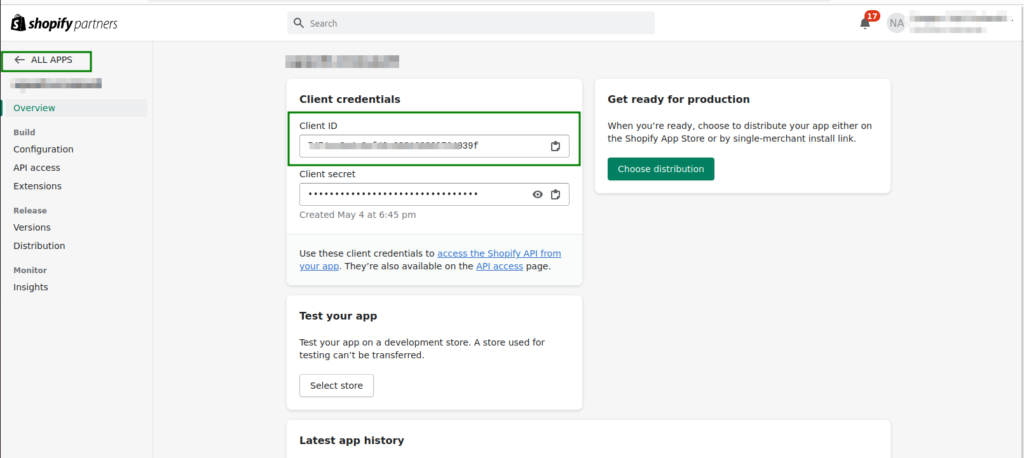
If your Shopify MCP setup involves external tools or custom workflows, API access will likely play a role.
Shopify APIs allow secure access to store data and store actions. This is important because MCP-related workflows often depend on the ability to read information from Shopify or send actions back into the system.
When reviewing API access, pay attention to:
- What data is being accessed
- Which permissions are required
- Whether private or public app access is involved
- How customer and order data is protected
- Whether the integration follows Shopify best practices
Security matters. Always make sure any tool or workflow has only the permissions it truly needs.
Choose the Right Tools for Your Workflow
Once you know your goal, the next step is choosing the right tools.
Depending on your use case, you may need:
- Shopify apps
- Automation platforms
- Custom API connectors
- AI assistants
- Internal dashboards
- Inventory or ERP tools
- Customer support platforms
The best tool is not always the most advanced one. It is the one that solves your actual problem without adding unnecessary complexity.
For example:
- If you only want basic automation, a Shopify app may be enough
- If you want Shopify connected to an AI interface, you may need a more structured API-based workflow
- If your team manages large datasets, a custom integration may be the better long-term choice
Focus on tools that are reliable, secure, and compatible with Shopify.
Test on a Small Workflow First
One of the smartest ways to get started with Shopify MCP is to begin with one simple workflow instead of trying to transform your entire store at once.
You could start by testing something like:
- Fetching product information into a connected tool
- Pulling order data for reporting
- Tracking inventory changes automatically
- Connecting Shopify data to an internal assistant
- Creating an automated customer service lookup flow
A small test project helps you learn faster and reduces the risk of mistakes. It also gives you a clearer sense of what is possible before you invest in larger workflows.
Think of your first Shopify MCP setup as a pilot project. Keep it focused, useful, and easy to measure.
Monitor Performance and Improve Over Time
Getting started is only the first step. Once your workflow is active, monitor how well it performs.
Ask questions like:
- Is the workflow saving time?
- Is the data accurate and current?
- Are there any permission or security concerns?
- Is the process easy for the team to use?
- Can this setup scale as the business grows?
The best ecommerce systems improve gradually. A simple workflow today can become a powerful operational system later if it is built carefully.
Regular review helps you spot issues early and make smarter improvements over time.
Common Mistakes to Avoid
As you begin exploring Shopify MCP, try to avoid these common mistakes:
- Starting without a clear business goal
- Using overly complex tools too early
- Ignoring API permissions and security
- Trying to automate everything at once
- Failing to test workflows before rollout
- Not documenting how the setup works
A thoughtful start is better than a rushed one. The goal is not just to connect tools, but to build useful systems that make your Shopify store easier to run.
Final Thoughts: How to Get Started With Shopify MCP
If you are wondering how to get started with Shopify MCP, the simplest answer is this: begin with a clear goal, understand your Shopify data, choose the right level of setup, and test a small workflow first.
Shopify MCP may sound advanced, but the core idea is practical. It is about creating better connections between your store and the tools you use so your business can operate more smoothly, intelligently, and efficiently.
Whether you are a store owner exploring automation or a team building custom ecommerce systems, the best way to start is with one meaningful use case. Learn from it, improve it, and grow from there.
The future of ecommerce is not just about selling online. It is about building smarter systems behind the scenes. And getting started with Shopify MCP can be one of the first steps in that direction.