Meta Ads Not Spending Budget? Causes & Real Fixes
The Silent Campaign: My Battle with Meta Ads Not Spending Budget
There are few things more frustrating in the world of online advertising than seeing your perfectly crafted Meta ad campaign just… sit there. You’ve put in the time, created stunning visuals, written compelling copy, hit that ‘publish’ button with a flourish, and then… crickets. Your Meta ads not spending budget. Or, as I’ve often called it in a fit of despair, “My Facebook ads not delivering!”
Believe me, I’ve been there more times than I care to admit. It’s like throwing a party and no one showing up, even though you sent out all the invites. I’ve stared at my screen, watching my Meta ads not getting impressions, even though they were Meta ads active but not spending. It can feel like the platform is actively working against you. But after many hours of head-scratching and problem-solving, I’ve learned a few common culprits and, more importantly, how to fix Meta ads not delivering.
Let me share my own experiences and the detective work I’ve had to do to get my campaigns back on track.
The Mystery of the Unspent Budget: Why Do My Meta Ads Go Silent?
When my Meta ads not spending budget, my first thought is usually, “What did I do wrong?!” And often, it comes down to a few key areas that are easy to overlook. Here’s why Meta ads are not spending budget in my experience:
1. The Audience is Too Small (Or Too Niche!)
This is a classic one. I remember setting up an ad targeting people who loved obscure 17th-century pottery and lived within a 2-mile radius of my tiny shop. Sounded brilliant in my head! But then, boom – Meta ads not delivering. The problem? My audience was microscopic. Meta simply couldn’t find enough people who fit all those criteria to spend my budget effectively.
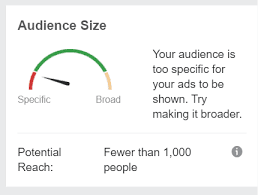
- My Fix: I learned to broaden my horizons. Instead of hyper-specific targeting, I now start wider (e.g., “people interested in art and history in my city”) and then refine if needed. If your Meta ads budget not spending, check your audience size. If it’s below a few hundred thousand (or even millions for broader campaigns), it might be too restrictive.
2. Bid Strategy Blues (Or the Lack Thereof)
Meta’s advertising system is like an auction. You’re bidding against other advertisers to show your ad to your chosen audience. Sometimes, my campaigns would go quiet because my bid strategy wasn’t competitive enough. If you’re using a manual bid and setting it too low, or if you’ve selected an objective that makes bidding really competitive, your Facebook ads not running.
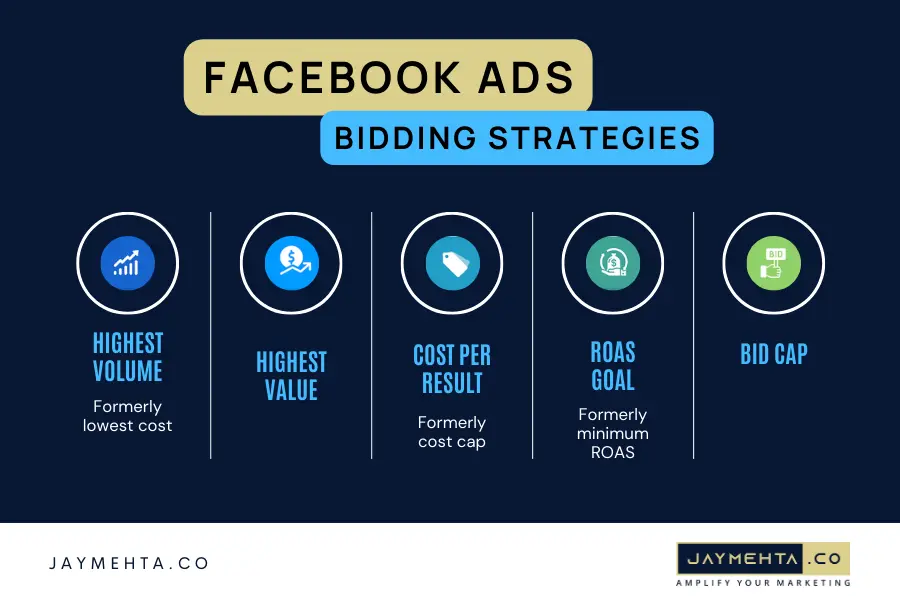
- My Fix: For most campaigns, especially when I’m just starting, I rely on Meta’s “Lowest Cost” or “Cost Cap” bidding strategies. This lets Meta optimize for the best results within my budget. If I’m confident in my audience and creative, I might experiment with Cost Cap to try and keep costs predictable. If your Facebook ads approved but not delivering, your bidding might be the issue.
3. Ad Fatigue Strikes (Even if No One’s Seen It Yet)
This sounds counterintuitive, right? How can there be ad fatigue if your Meta ads not getting impressions? But sometimes, it’s not your audience that’s fatigued, but the system. If your ad has been running for a long time without updates, or if the creative isn’t performing well in initial tests, Meta might slow down delivery.

- My Fix: Freshness is key. I try to rotate my ad creatives regularly. If an ad isn’t spending, I’ll often duplicate it, change the image or headline slightly, and launch the new version. Sometimes, a tiny tweak is all it takes to kickstart delivery.
4. The Dreaded “Learning Limited” Phase
Ah, the “learning limited” status. This one often pops up when my Meta ads learning limited not spending. It means Meta’s algorithm hasn’t had enough data (usually around 50 optimization events per week, like purchases or clicks) to figure out who best to show your ad to. It’s stuck in “learning” and therefore hesitant to spend.
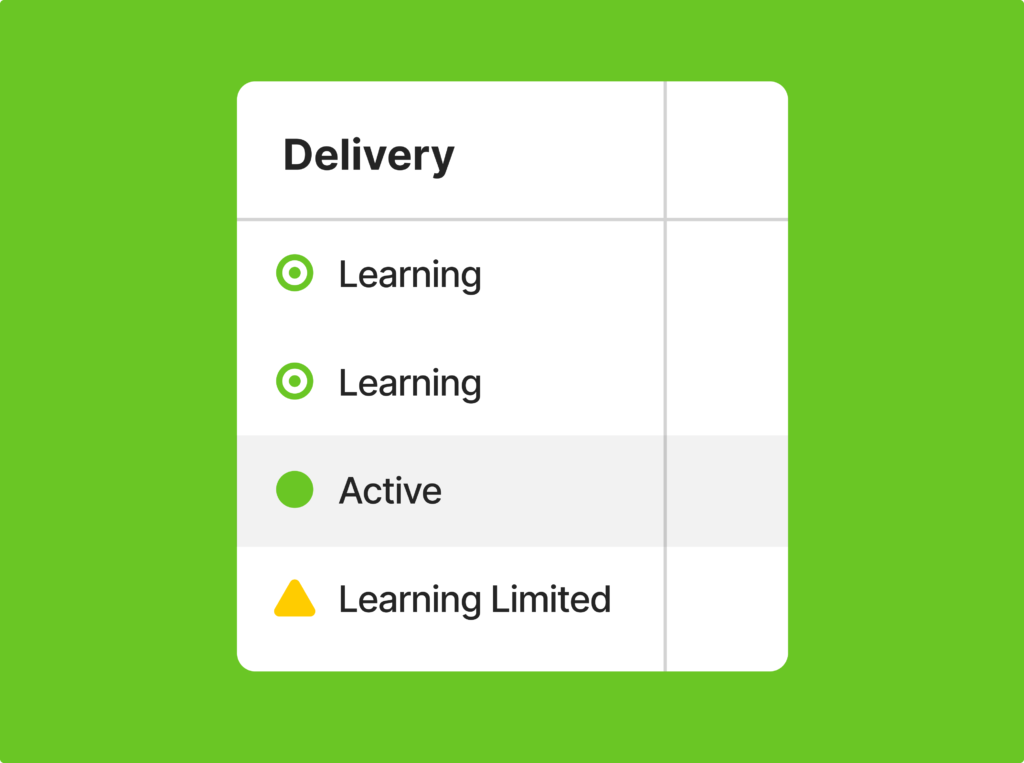
- My Fix: This usually points back to the audience being too small, the budget being too low (not enough to generate those 50 events), or the creative not being engaging enough. I’ll go back to step one: broaden the audience, increase the daily budget a little to give it a push, or refresh the ad creative entirely. Sometimes, I even switch the optimization event to something earlier in the funnel, like “link clicks,” to get more data flowing.
5. Budget, Budget, Budget!
This one seems obvious, but it’s surprising how often it’s the issue. If your daily budget is tiny (say, $5) and your audience is huge, Meta might struggle to spend it evenly throughout the day, or it might decide that spending such a small amount won’t give it enough data to optimize. Conversely, if your budget is massive and your audience is small, you’ll still hit the audience constraint.
- My Fix: I try to match my budget to my audience size and campaign goal. For broader audiences and objectives, a slightly higher budget gives Meta more room to experiment and find optimal delivery. If my Meta ads budget not spending at all, sometimes a small bump (even just 10-20%) can kickstart it.
If you don’t know how to setup Meta Ads Account Read this: https://zavify.co.uk/blog/how-to-setup-meta-ads-account/
My Personal Checklist for “Facebook Ads Approved But Not Delivering”
When I see that dreaded message, here’s my quick rundown to how to fix Meta ads not spending:
- Check Audience Size: Is it at least a few hundred thousand? If not, broaden it.
- Review Budget: Is it too low or too high for the audience? Try a small increase if it’s too low.
- Inspect Creative: Is my ad compelling? Is it fresh? Does it stand out? Is there something in the image or text that might be triggering a flag (even accidentally)?
- Look at Bid Strategy: Am I using automatic bidding (Lowest Cost) or a manual bid that’s too conservative?
- Check Ad Relevance Diagnostics: In Meta Ads Manager, under ‘Columns,’ you can often find ‘Ad Relevance Diagnostics’ metrics (Quality Ranking, Engagement Rate Ranking, Conversion Rate Ranking). If these are ‘Below Average,’ it’s a huge clue that your ad isn’t resonating, and Meta won’t push it out.
- Patience (But Not Too Much!): Sometimes, Meta needs a few hours to optimize. But if after 24-48 hours your Meta ads not running and haven’t spent anything, it’s time for action.
Don’t Give Up!
It’s easy to get discouraged when your Facebook ads not delivering. It feels like you’re shouting into the void. But remember, the system wants to spend your money! It just needs the right conditions.
By methodically checking these common issues – audience, budget, bid strategy, and creative – you can usually pinpoint why your Facebook ad is not delivering and get your campaigns back on track. It’s a learning process for all of us, and every time I fix a silent campaign, I learn something new about making my advertising even more effective. You’ve got this!