How to Unsend an Email in Yahoo?
Sending an email by mistake can happen to anyone. If you sent an email too quickly or included incorrect information, you might want to take it back. Many people wonder if it is possible to unsend an email in Yahoo Mail. The answer is partially yes — Yahoo offers a feature called Undo Send that allows you to cancel an email shortly after sending it.
This guide explains how to unsend an email in Yahoo Mail and what to do if the undo time has passed.
Can You Unsend an Email in Yahoo?
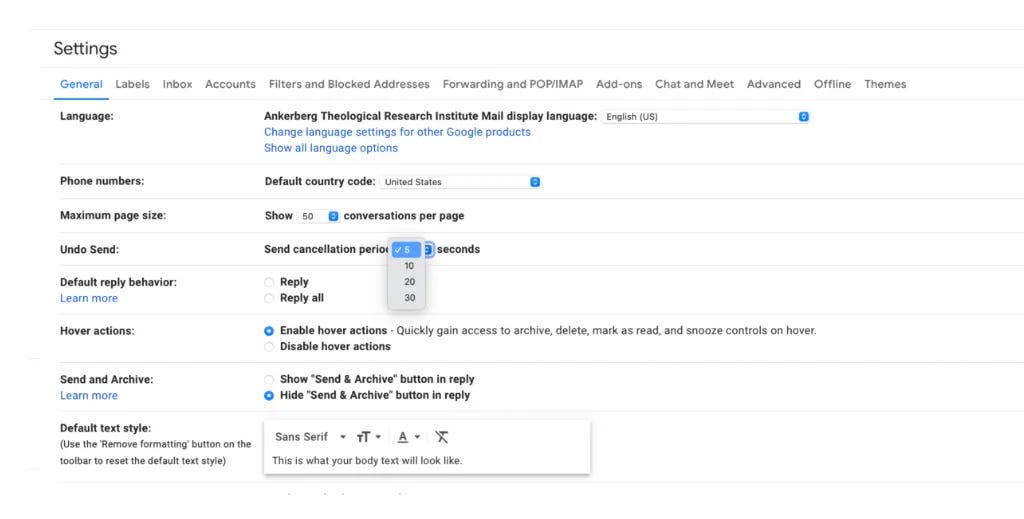
Yahoo Mail does not allow full email recall after the message has been delivered. However, you can cancel sending within a short time using the Undo Send option.
You usually get 3–10 seconds to undo the email after clicking Send.
How to Unsend an Email Using Undo Send
Follow these steps:
- Open Yahoo Mail
- Write your email
- Click Send
- Look for the Undo option at the bottom of the screen
- Click Undo immediately
Once you click Undo, the email will return to the draft folder.
How to Enable or Adjust Undo Send Time
You can increase the time allowed to cancel an email.
Steps:
- Open Yahoo Mail
- Click Settings
- Select More Settings
- Click Writing Email
- Find Undo Send
- Choose your preferred time (for example 5 or 10 seconds)
- Save changes
What If You Cannot Undo the Email?
If the Undo Send time has passed:
- The email cannot be recalled
- The receiver will get the message
- You can send a correction email
Example:
- Apologize for the mistake
- Provide correct information
- Keep it simple
Tips to Avoid Sending Wrong Emails
- Double-check the recipient
- Read the email before sending
- Attach files before clicking send
- Use Undo Send feature
- Take a moment before sending
Final Thoughts
Yahoo Mail allows you to unsend emails only for a few seconds using the Undo Send feature. After that time, the email cannot be recalled. Enabling Undo Send and reviewing your messages carefully can help prevent mistakes.