
Best LinkedIn Automation Tools for Lead Generation in 2026
If your team still handles LinkedIn prospecting one profile at a time, you are spending valuable selling hours on work that software can already streamline. The best LinkedIn automation tools help teams find prospects, launch multistep outreach, track replies, and keep campaigns moving without turning outreach into obvious spam. In 2026, the market is more crowded than ever, which makes tool selection harder. Some platforms are built for solo operators, some for agencies, and some for enterprise revenue teams that need governance, reporting, and workflow control. This guide starts with the basics so you can compare options faster and shortlist the right tool for your lead generation process.
What Are LinkedIn Automation Tools?
LinkedIn automation tools are software platforms that help sales teams, founders, recruiters, and agencies automate repetitive prospecting actions on LinkedIn. Depending on the product, that can include connection requests, follow-ups, multistep sequences, inbox workflows, team analytics, and, in some cases, email outreach layered on top of LinkedIn activity. The goal is not to replace human selling. It is to remove manual busywork so teams can spend more time personalizing outreach, handling objections, and moving qualified leads into meetings.
The category now includes several different tool types. Some platforms are lightweight and designed for solo users who want simple campaign automation. Others are better suited to agencies managing multiple client accounts, while enterprise platforms focus more on sales engagement, workflow visibility, and compliance controls across large teams. That difference matters because the best LinkedIn automation tools are not always the most feature-heavy ones. The right choice depends on your team size, risk tolerance, outreach volume, and whether you need LinkedIn-only automation or a broader multichannel workflow.
| Tool name | Key features | Pricing (starting from) | Best for |
| Snov.io | LinkedIn automation, multichannel outreach, email finder and verifier, campaign analytics, team workflows | From $29/month | Solo professionals, growing teams, agencies |
| LeadFuze | Lead database access, list building, enrichment, intent-style data workflows, prospect discovery | Custom / contact sales | Teams focused on list building and prospect research |
| Dripify | LinkedIn automation, team dashboard, drip campaigns, analytics, inbox and sequence management | From $39/month | Solo professionals, small sales teams, agencies |
| Skylead | LinkedIn automation, email outreach, smart sequences, warm-up, personalization, CRM sync | From $100/month | Agencies, outbound teams, multichannel users |
| Waalaxy | LinkedIn automation, email steps, team workflows, campaign templates, outreach management | Paid plans available; pricing varies by plan | Solo professionals, small teams |
| Salesloft | Enterprise sales engagement, cadence automation, analytics, AI-assisted workflows, revenue orchestration | Custom / contact sales | Enterprises, mature revenue teams |
| Dux-Soup | LinkedIn profile visits, connection requests, messaging, campaign automation, native LinkedIn workflow support | Paid plans available; Pro, Turbo, and Cloud tiers | Solo professionals, consultants, small agencies |
Why You Need Lead Gen Tools
LinkedIn can be one of the strongest B2B prospecting channels available, but it becomes slow and inconsistent when every action is manual. Reps lose time switching between search, profile review, messaging, follow-ups, and spreadsheet updates. That usually leads to the same problem: too much effort spent on outreach mechanics and not enough on conversations that can actually turn into pipeline.
This is where lead gen tools make a practical difference. The right platform helps you automate repetitive tasks, keep follow-ups moving, organize leads by stage, and spot which campaigns are creating replies instead of just activity. It also gives teams a more repeatable process. Instead of relying on one rep’s personal workflow, you get clearer rules for prospecting, outreach timing, personalization, and reporting.
For solo professionals, it’s about getting more done in less time. Agencies benefit by managing multiple client accounts without the chaos. Enterprise teams gain greater visibility, tighter process control, and clearer insight into what’s actually working. Ultimately, the best LinkedIn automation tools don’t just save time—they help create a more predictable, repeatable lead generation system.
Best Lead Generation Tools in LinkedIn
The market for LinkedIn automation tools now includes everything from lightweight campaign launchers to full sales engagement platforms. Some tools are designed for simple connection and follow-up sequences, while others combine LinkedIn actions with email outreach, reporting, CRM workflows, and team collaboration. That is why choosing the right tool is less about finding the one with the longest feature list and more about matching the platform to your sales motion.
Below are seven of the best LinkedIn automation tools to consider in 2026. Each one serves a slightly different type of user, from solo operators to larger revenue teams.
Snov.io
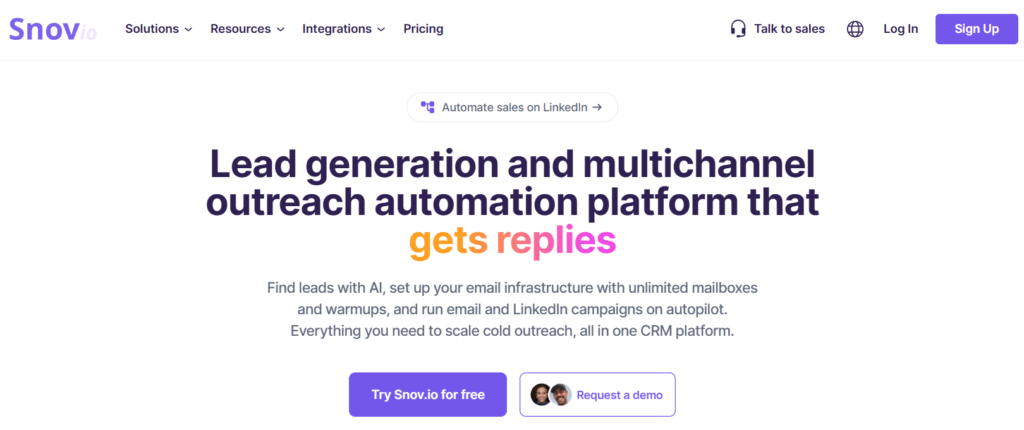
Snov.io is a lead generation tool that helps teams manage the full prospecting process, from finding the right contacts to turning them into qualified opportunities. Alongside its broader lead gen capabilities, it also supports LinkedIn prospecting, making it easier to connect social outreach with email, contact enrichment, and follow-up workflows. This makes Snov.io a practical choice for teams that want one system for sourcing leads, enriching data, and running multichannel outreach instead of relying on several separate tools.
Features:
- include LinkedIn automation,
- email finder and verifier tools, multichannel sequences,
- prospect data management, and campaign analytics.
Best for:Growing outbound teams, agencies, and companies that want a multichannel workflow rather than a LinkedIn-only tool.
LeadFuze
LeadFuze is better understood as a prospect data and list-building platform than a pure LinkedIn automation tool. It helps teams build targeted lead lists, find business contacts, and enrich prospect data before outreach starts. If your biggest problem is not sequence execution but finding enough relevant people to contact, it can still play an important role in your stack.
Features:
- focuses on lead search,
- list building, contact discovery,
- company filtering, and database-driven prospecting.
Best for: Teams that need prospect discovery and enrichment first, and workflow automation second.
Dripify
Dripify is one of the better-known names in the LinkedIn automation space because it is built around structured outreach campaigns. It is designed to help users automate connection requests, follow-ups, and prospect progression without making setup overly complex. That balance makes it appealing for smaller sales teams and founders who want results quickly.
Features:
- LinkedIn and email sequences,
- campaign templates,
- analytics, inbox management, personalization variables, team management
Best for: Solo professionals, small sales teams, and agencies that want a focused outreach tool with a manageable learning curve.
Skylead
Skylead is built for users who want to combine LinkedIn automation with email outreach in a more flexible sequence builder. It is often chosen by agencies and outbound teams that need more logic in their campaigns, especially when a prospect may move between LinkedIn and email touchpoints.
Features:
- LinkedIn automation,
- email outreach, inbox functionality,
- personalization, and workflow options for multichannel prospecting.
Best for: Agencies, outbound teams, and users who want LinkedIn plus email automation in a single sequence flow.
Waalaxy
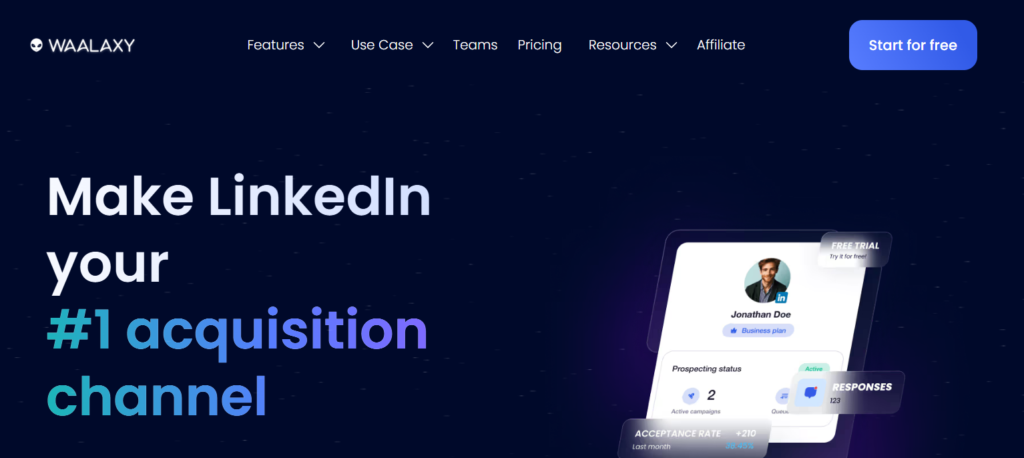
Waalaxy is aimed at users who want a more approachable LinkedIn automation experience. It is often positioned as a simpler option for individuals and small teams that want to start automating outreach without spending too much time on training or technical setup.
Features:
- supports LinkedIn campaigns,
- multichannel outreach on higher plans, team usage, templates,
- prospect management.
Best for: Solo professionals and small teams that want a more accessible entry point into LinkedIn automation.
Salesloft
Salesloft sits in a different category from most of the tools on this list. It is not simply a LinkedIn automation app. It is a broader sales engagement platform built for revenue teams that need governance, analytics, orchestration, and cross-channel process control. For that reason, it is usually evaluated by larger sales organizations rather than individual users.
Features:
- workflow automation,
- analytics, CRM alignment,
- coaching features,
- broader revenue execution support.
Best for: Enterprises and mature sales teams that need a full sales engagement layer, not just LinkedIn automation.
Dux-Soup
Dux-Soup has been in the LinkedIn automation category for a long time and remains a familiar choice for users who want classic LinkedIn workflow automation. It is especially relevant for consultants, small teams, and agencies that want profile visits, connection requests, messaging, and campaign actions in a straightforward format.
- Features:
automated profile visits, - personalized connection requests,
- messaging, campaign steps, lead management,
- exports and workflow integrations.
Best for: Consultants, solo professionals, and small agencies that want practical LinkedIn automation at a lower starting cost.
Key Benefits of Lead Generation Automation Tools
The biggest advantage of modern lead generation software is not just speed. It is structure. Good automation tools help sales teams spend less time on repetitive tasks and more time on the work that actually moves deals forward. Instead of manually searching, messaging, tracking, and updating every step, reps can follow a repeatable process that is easier to scale and easier to measure.
That matters whether you’re running outbound solo or leading a larger team. For individuals, automation brings consistency. For managers, it delivers visibility. And for agencies and revenue teams, it transforms lead generation from a set of disconnected actions into a more structured system—complete with defined workflows, cleaner data, and more reliable follow-through.
Give Your Reps 2+ Hours Back, Every Day
Manual prospecting creates invisible time loss. Reps jump between LinkedIn searches, profile reviews, spreadsheets, messages, reminders, and CRM updates, often without realizing how much of the day disappears into admin work. A solid automation setup reduces that friction by handling repeatable steps like connection flows, follow-up timing, and sequence triggers automatically.
That time savings has a direct business impact. When reps are not buried in repetitive tasks, they can spend more energy on account research, message quality, live conversations, and pipeline movement. In practice, automation does not replace the salesperson. It protects their selling time. For teams trying to improve output without burning people out, that is one of the clearest reasons to invest in LinkedIn automation tools.
Focus on Leads That Are Actually Ready to Buy
Not every prospect deserves the same amount of attention. Some are early-stage researchers, while others are already showing signs of interest through engagement, replies, firmographic fit, or buying intent. Without the right tooling, reps often waste time treating cold names and warm opportunities the same way.
Lead generation automation helps create better prioritization. Teams can segment prospects, route leads into different workflows, and focus follow-ups on the people most likely to convert. That leads to a healthier pipeline because effort goes where it matters most. Instead of chasing every possible contact, reps can spend more time engaging with the accounts that match the offer, show real interest, and are more likely to book a meeting or enter a sales conversation.
Grow Your Pipeline, Not Your Payroll
One of the most practical benefits of automation is that it helps teams increase activity without scaling headcount at the same rate. Hiring more SDRs or coordinators is expensive, and it does not always solve the underlying workflow problem. If the process is inefficient, adding more people may only add more complexity.
The right lead generation tools make existing teams more productive first. They help one rep manage more consistent outreach, allow one manager to oversee more activity, and give agencies a better way to support multiple clients without building every workflow from scratch. That does not mean unlimited scale. It means smarter scale. The best LinkedIn automation tools help teams grow pipeline in a controlled way, with less operational drag and better use of the people already in place.
Get Pipeline Visibility You Can Actually Trust
When outreach is scattered across inboxes, browser tabs, notes, and disconnected spreadsheets, reporting quickly loses its reliability. Leaders might see surface-level activity metrics, but still can’t answer fundamental questions: Which campaigns are actually driving replies? Which rep workflows are converting into meetings? Which lead sources are worth doubling down on?
Automation tools improve visibility by centralizing actions, stages, and campaign performance in one place. That makes it easier to spot bottlenecks, compare outcomes, and make better decisions about messaging, targeting, and channel mix. More importantly, it creates data teams can actually use. Instead of relying on assumptions or rep memory, managers can work from a clearer view of pipeline creation and campaign quality. That kind of visibility is what turns lead generation from guesswork into an operating process.
What to Look for in Lead Generation Automation Tools
Not all lead generation platforms solve the same problem, so the first thing to look at is use case fit. Some tools are best for simple LinkedIn outreach, while others are built for multichannel prospecting, team collaboration, or enterprise workflow control. Before comparing feature lists, define what you actually need the tool to do. A solo consultant, an agency, and an in-house sales team will not judge the same platform by the same standards.
After that, focus on the essentials: campaign flexibility, personalization, reporting, safety controls, and ease of use. Good tools should help you automate repetitive work without making outreach feel robotic. They should also make it easy to track replies, monitor sequence performance, and adjust targeting when campaigns start underperforming. If the setup is too rigid or the workflow is too hard to manage, adoption usually drops fast.
It is also worth looking beyond surface-level automation. Strong lead generation automation tools should support the full prospecting process, not just message sending. That can include contact enrichment, email steps, CRM sync, team visibility, and clearer lead qualification. Pricing matters too, but the cheapest option is not always the best one if it creates more manual work later. The right platform should save time, improve consistency, and fit the way your team already sells.
Conclusion
The best LinkedIn automation tools are the ones that help your team work in a more structured, repeatable, and efficient way. For some teams, that means a lightweight tool for connection requests and follow-ups. For others, it means a broader platform that combines LinkedIn outreach with email, reporting, and workflow management. What matters most is choosing a tool that matches your sales motion instead of chasing the longest feature list.
If your priority is multichannel prospecting, platforms that combine LinkedIn automation with email workflows will usually offer more long-term value. If you need a simpler way to automate day-to-day LinkedIn outreach, a focused specialist tool may be the better fit. And if you are running a larger revenue operation, visibility, governance, and process control should carry more weight than entry-level pricing.
In the end, a good lead generation tool should do more than automate tasks. It should help your team spend less time on repetitive work, focus on better-fit prospects, and build pipeline with more consistency. That is what separates a useful tool from one that just adds more noise to the stack.






It’s fascinating how automation can free up hours for sales reps, but it also makes me think about the balance between efficiency and maintaining a personal touch in outreach. Finding that sweet spot seems key to keeping leads engaged while still scaling efforts. The focus on high-quality leads and pipeline visibility really underlines that point.
This breakdown of LinkedIn automation tools really highlights how crucial it is to align your choice with your team’s scale and goals—whether you’re a solo pro or part of a larger revenue team. The emphasis on saving time and improving pipeline visibility resonates, especially when you’re trying to avoid spammy outreach while staying efficient. It’s a helpful reminder that the right tool can free up valuable hours for actual relationship building.