
If you run an online store or study competitors, you may wonder what Shopify apps a particular website is using. Shopify apps add extra functionality to stores, such as marketing tools, product reviews, upsells, and analytics.
Knowing which apps a website uses can help you learn their strategies, improve your own store, and discover useful tools for eCommerce growth.
What Are Shopify Apps?
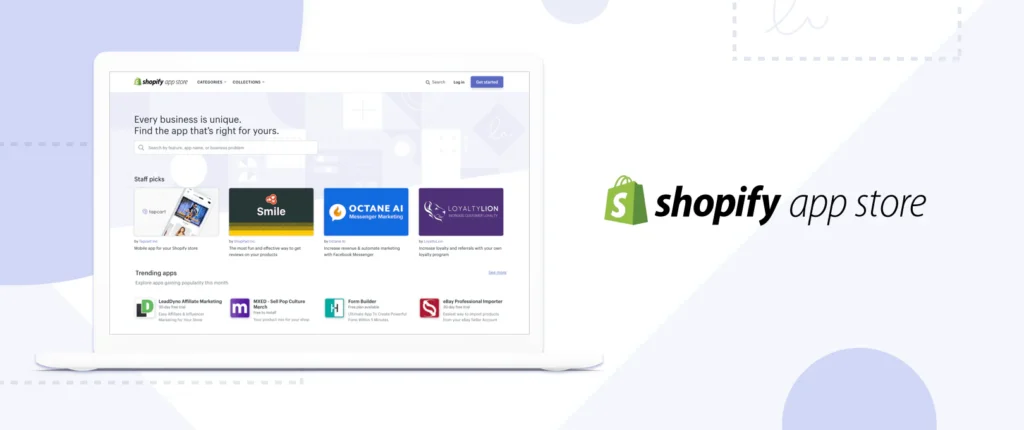
Shopify apps are third-party tools that integrate with Shopify stores to extend functionality. Store owners install apps from the Shopify App Store to add features that are not included by default.
Common types of Shopify apps include:
- email marketing tools
- product review systems
- upsell and cross-sell apps
- SEO optimization tools
- inventory management apps
- live chat and customer support tools
Many successful Shopify stores rely on several apps to improve performance and conversions.
How to Check What Shopify Apps a Website Uses
There are several ways to identify which apps a Shopify store may be using.
1. Use Shopify App Detection Tools
Some online tools analyze Shopify websites and reveal installed apps. These tools scan the store’s code and scripts to identify integrations.
Popular Shopify detection tools include:
- BuiltWith
- Koala Inspector
- Wappalyzer
- Shopify App Detector
These tools can show details such as installed apps, themes, analytics tools, and marketing software.
2. Inspect the Website Source Code
Another method is checking the website’s source code.
Steps:
- Open the Shopify website in your browser
- Right-click and select “View Page Source”
- Search for keywords like shopify, app, script, or app names
Some apps leave identifiable scripts or code snippets that reveal which app is installed.
However, not all apps are visible through this method.
3. Use Browser Extensions
Certain browser extensions are specifically designed to analyze Shopify stores.
Examples include:
- Koala Inspector (Chrome extension)
- Shopify Inspector
- Commerce Inspector
These tools automatically scan a store and provide insights such as:
- installed Shopify apps
- store theme
- best-selling products
- estimated traffic data
4. Look for Visual Clues on the Website
Sometimes you can identify Shopify apps by the features visible on the website.
For example:
- product reviews → review apps
- countdown timers → urgency apps
- pop-up email forms → marketing apps
- chat widgets → live chat tools
- bundle offers → upsell apps
These visual elements often indicate specific types of Shopify apps being used.
Why People Check Shopify Apps on Other Websites
Many store owners analyze competitors to understand how successful stores operate.
Common reasons include:
- discovering useful apps for marketing
- learning conversion optimization strategies
- improving store functionality
- researching competitors
This type of analysis is often called eCommerce competitor research.
Can You See All Shopify Apps a Store Uses?
Not always. Some Shopify apps operate on the backend and are hidden from public detection tools.
Because of this, detection tools may only reveal a portion of the apps installed on a Shopify store.
Still, they provide valuable insights into many commonly used integrations.
Final Thoughts
If you’re curious about what Shopify apps a website is using, several tools and techniques can help you find out. App detection platforms, browser extensions, and code inspection can reveal many of the tools behind a Shopify store.
Studying these apps can help you discover new features, improve your store, and stay competitive in the eCommerce market.