Paid Ads vs Organic Traffic for Ecommerce: A Complete Guide
Understanding the right traffic source for your ecommerce store can make or break your online business. The debate between paid ads vs organic traffic for ecommerce has been ongoing, with both strategies offering unique advantages for ecommerce marketing. In this comprehensive guide, we’ll explore both ecommerce traffic sources, their benefits, and the essential tools you need to maximize your return on investment (ROI).
Understanding Paid Ads for Ecommerce Stores
Paid advertising for ecommerce involves investing money to display your products or services on platforms like Google, Facebook, Instagram, and other digital channels. When someone asks “which is better paid ads or organic traffic,” the answer often depends on your immediate goals and budget.
Paid traffic vs organic traffic differs primarily in speed and sustainability. Paid ads deliver immediate results, driving targeted visitors to your ecommerce website within hours of launching a campaign. This approach is particularly effective for new stores that need quick visibility and sales. The click-through rate (CTR) on well-optimized paid campaigns can significantly boost your brand visibility and customer acquisition.
However, paid ads for ecommerce come with ongoing costs. Your customer acquisition cost (CAC) remains constant, and traffic stops the moment you pause your campaigns. Despite this, the benefits of paid ads for ecommerce include precise targeting, measurable results, and the ability to scale quickly during peak seasons or product launches.
The Power of Organic Traffic for Ecommerce
Organic marketing for ecommerce focuses on building sustainable traffic through search engine optimization (SEO), content marketing, and social media engagement. When considering ecommerce SEO vs paid ads, organic strategies require more time and patience but offer long-term ecommerce growth potential. To strengthen these long-term efforts, premium marketing services help businesses execute cohesive organic strategies that maximize visibility, performance, and return over time.
The benefits of organic traffic for ecommerce are substantial. Once your content ranks well, you receive continuous visitors without paying for each click. This creates a lower customer acquisition cost over time and establishes your brand as an authority in your niche. Organic traffic also tends to have higher trust levels, as users perceive top-ranking sites as more credible than paid advertisements. Implementing Local SEO Strategies can further strengthen organic visibility by helping ecommerce businesses capture high-intent customers in specific geographic areas, driving more qualified traffic and increasing long-term growth potential.
Is organic traffic better than paid ads for ecommerce? For sustainable growth, organic traffic provides compounding returns. Your investment in SEO continues to generate results months and years later, making it the best traffic source for ecommerce stores focused on long-term success.
Google Ads vs SEO for Ecommerce: Finding Your Balance
The question “paid ads or SEO for ecommerce website” shouldn’t be either-or. The most successful ecommerce growth strategy combines both approaches strategically. Use paid advertising vs organic marketing ecommerce tactics together to maximize your conversion rate while building sustainable traffic.
Start with paid campaigns to generate immediate revenue and gather data about your audience. Meanwhile, invest in SEO to build your organic foundation. This dual approach ensures you’re capturing demand now while securing your future traffic without ongoing ad spend.To execute the organic side effectively, an ecommerce SEO checklist helps ensure your technical setup, on-page optimization, and content strategy are fully aligned for long-term visibility and growth.
For Best Seo Tools: https://zavify.co.uk/blog/comparison-of-the-best-seo-tools-on-the-market/
Essential Tools for Paid Advertising
1. Google Ads Platform
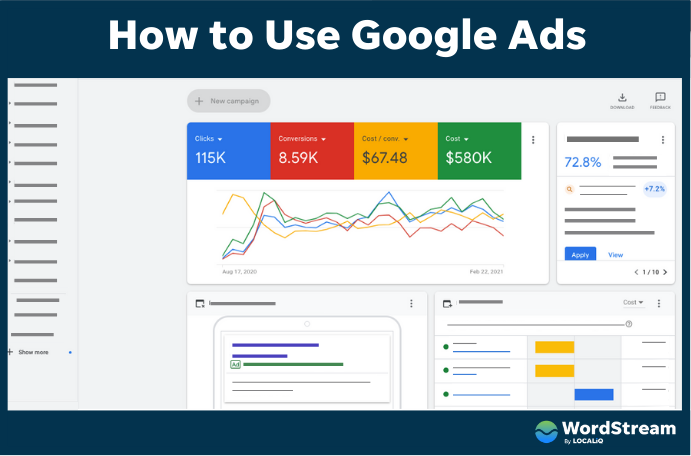
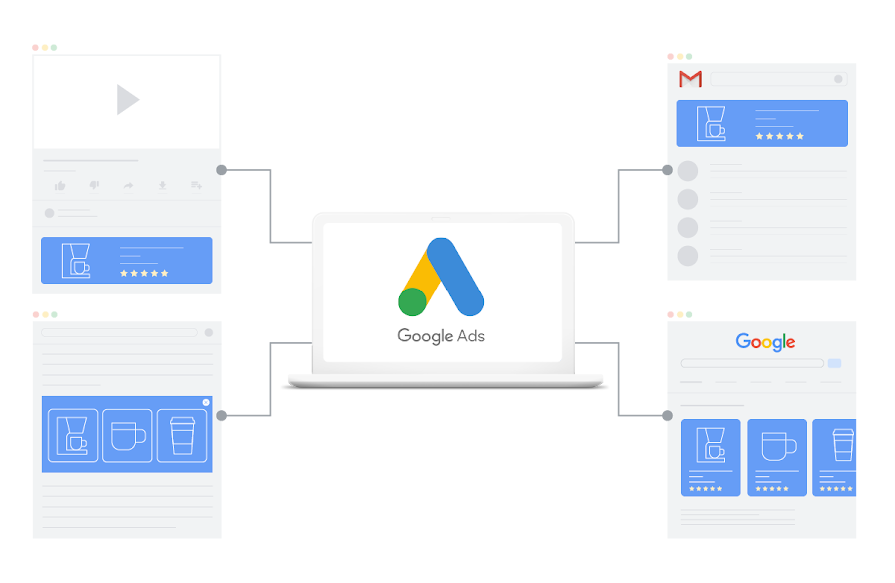
Purpose: Create and manage search, display, and shopping campaigns for your ecommerce store.
How to Use:
- Sign up at ads.google.com and create your account
- Link your Google Merchant Center to enable Shopping campaigns
- Set up conversion tracking using Google Tag Manager on your website
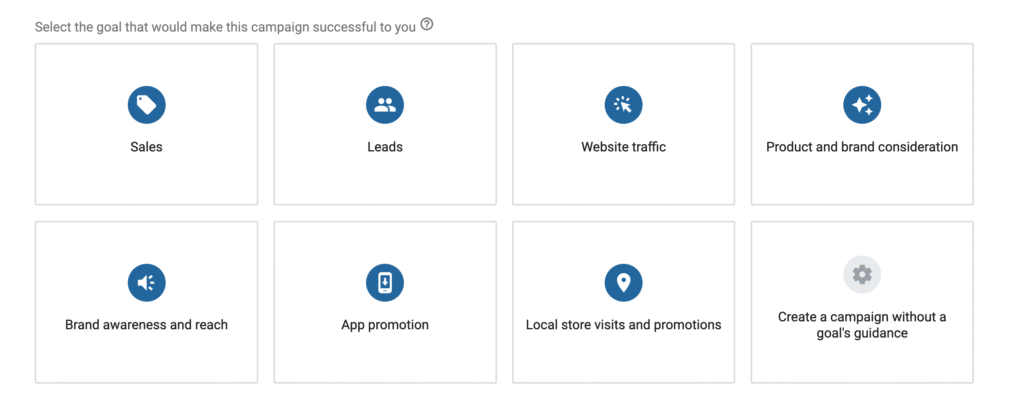
- Create campaigns by selecting your goal (sales, traffic, or brand awareness).
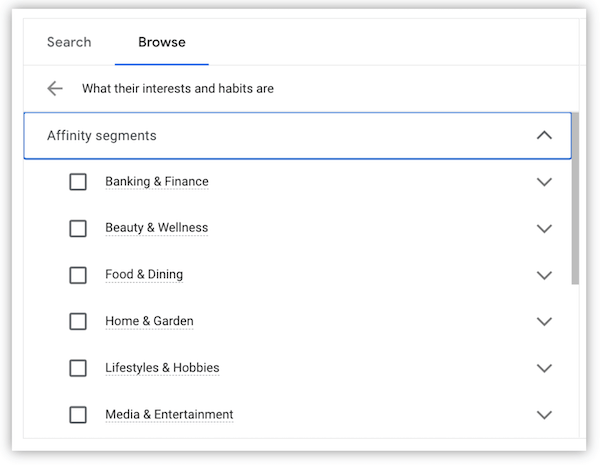
- Define your target audience using demographics, interests, and keywords
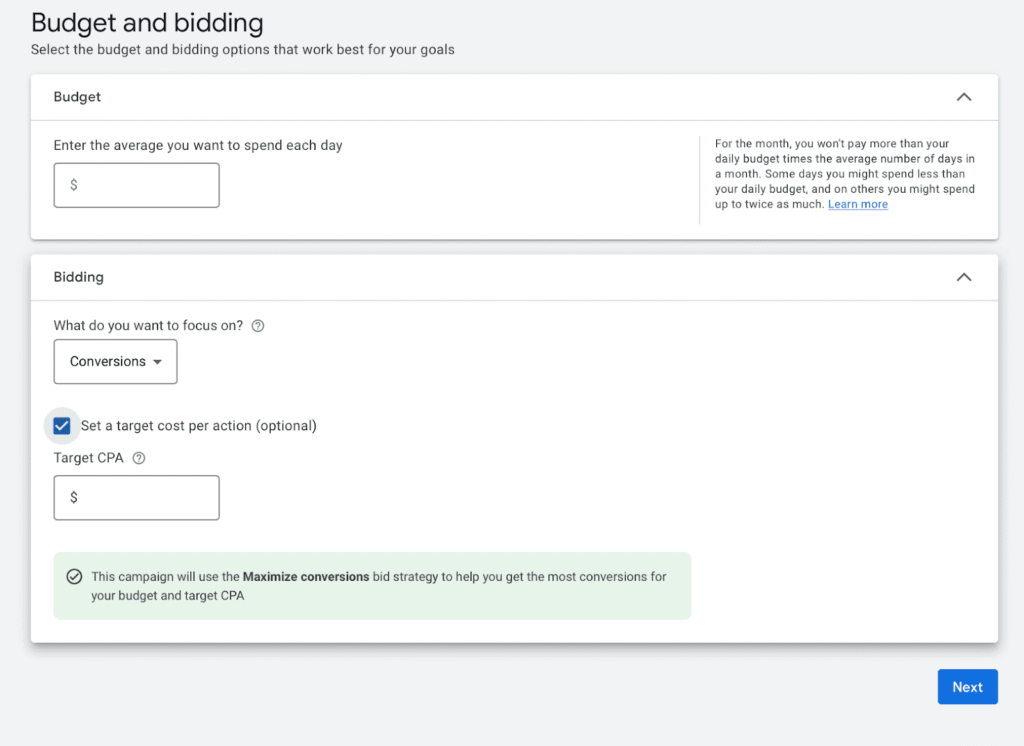
- Set your daily budget and bidding strategy
- Design compelling ad copy and upload product images.
- Monitor performance metrics like CTR, conversion rate, and ROI in the dashboard
- Use the Keyword Planner tool to research high-performing search terms
- Regularly test ad variations and optimize based on performance data
2. Facebook Ads Manager
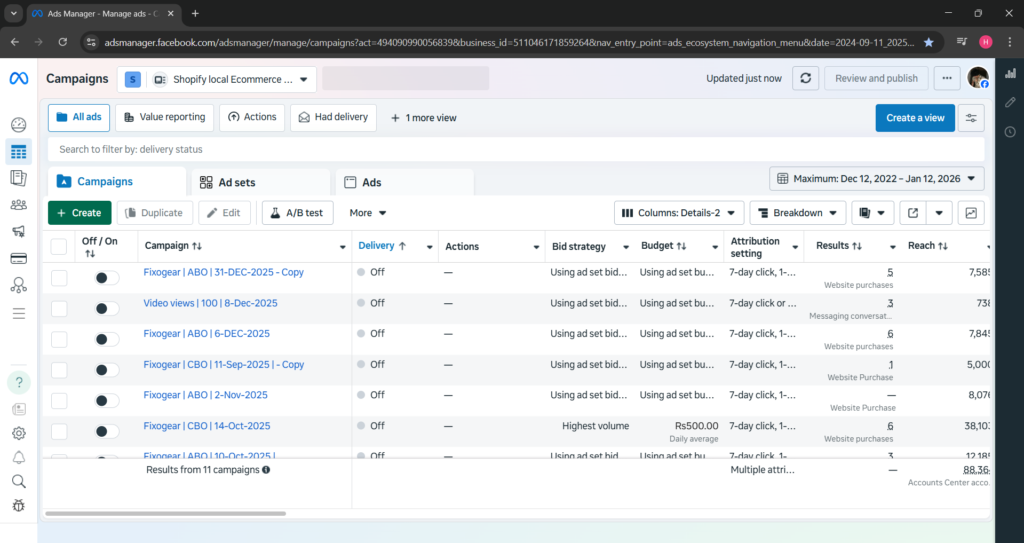
Purpose: Run targeted social media campaigns on Facebook and Instagram.
How to Use:
- Access business.facebook.com and set up your Business Manager account
- Install the Facebook Pixel on your ecommerce website for tracking
- Navigate to Ads Manager and click “Create Campaign”
- Choose your objective (conversions, traffic, or catalog sales)
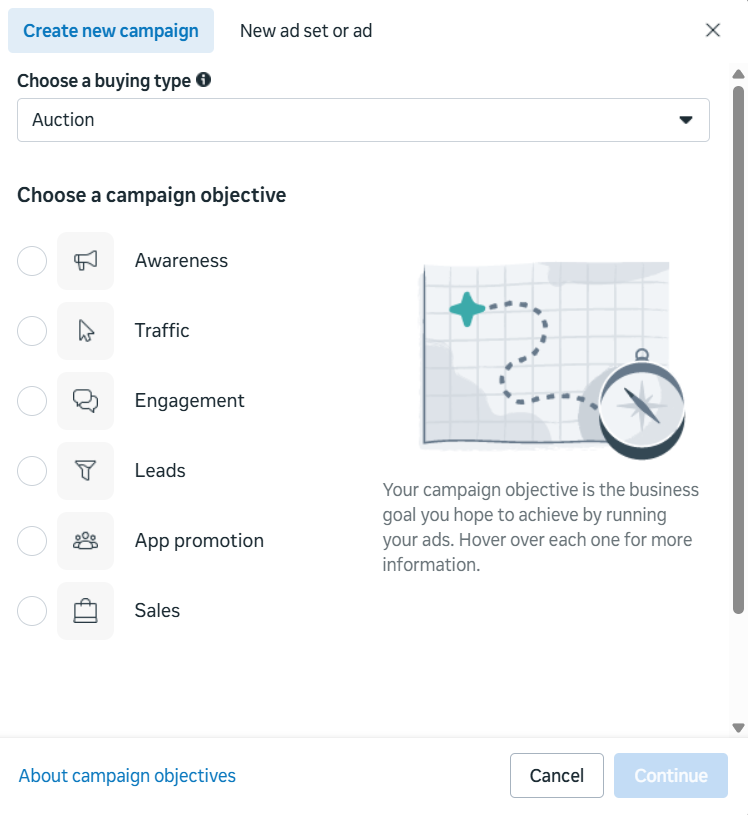
- Define your audience using custom audiences, lookalike audiences, or detailed targeting
- Set your budget schedule and bid strategy.
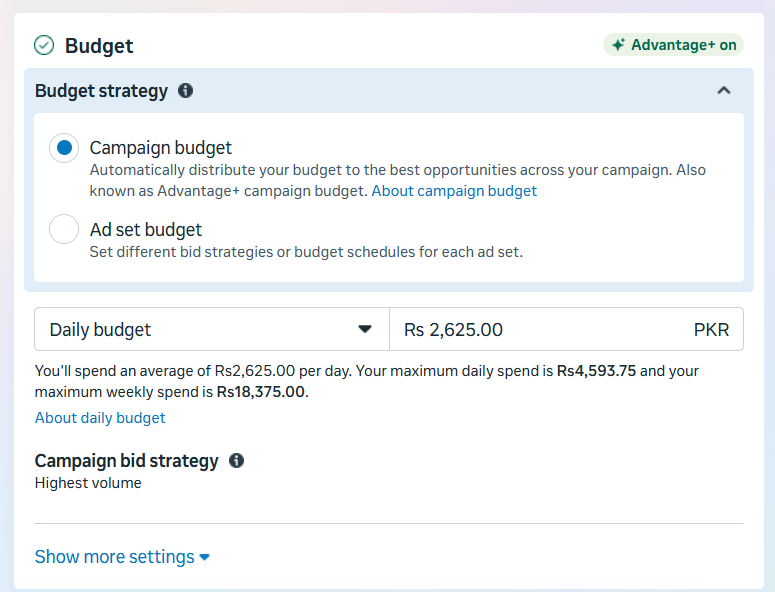
- Select ad placements across Facebook, Instagram, Messenger, and Audience Network
- Create engaging ad creatives with high-quality images or videos
- Use dynamic product ads to retarget visitors who viewed specific products
- Analyze performance in the Ads Manager dashboard and adjust targeting or creative based on results

3. SEMrush
Purpose: Comprehensive tool for both paid and organic marketing analysis.
How to Use:
- Create an account at semrush.com and enter your domain
- Use the Advertising Research tool to analyze competitor paid strategies
- Explore the PPC Keyword Tool to find profitable paid search terms
- Track your organic rankings with the Position Tracking feature
- Conduct site audits to identify SEO issues affecting your organic traffic
- Research content gaps using the Topic Research tool
- Monitor your backlink profile in the Link Building toolkit
- Set up regular reports to track both paid and organic performance metrics
Essential Tools for Organic Traffic Generation
4. Google Search Console
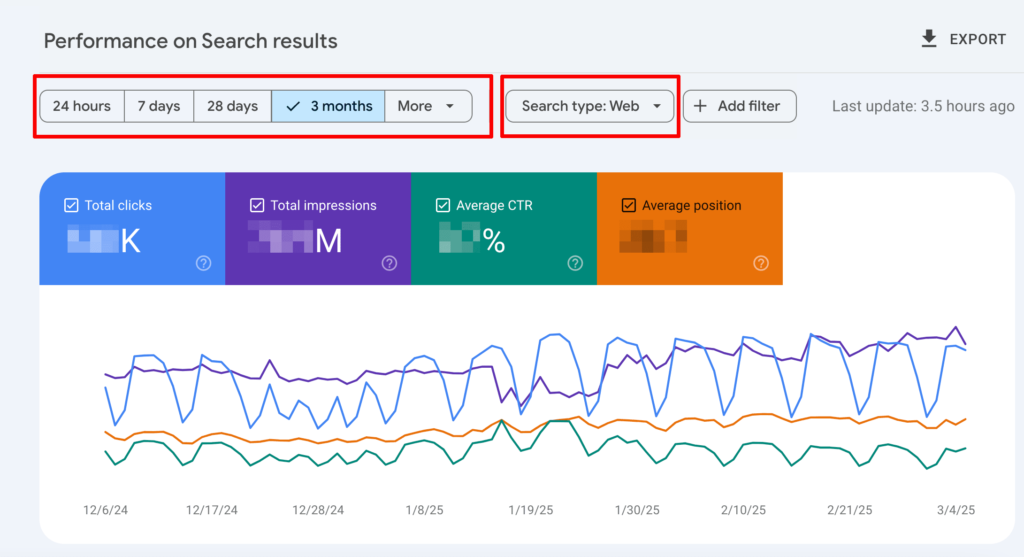
Purpose: Monitor and optimize your website’s presence in Google search results.
How to Use:
- Verify your website at search.google.com/search-console
- Submit your XML sitemap for faster indexing
- Monitor the Performance report to see which queries drive organic traffic
- Identify and fix coverage issues that prevent pages from ranking
- Check the Core Web Vitals report to ensure good user experience
- Use the URL Inspection tool to troubleshoot specific page issues
- Review manual actions or security issues that might impact rankings
- Analyze which pages receive the most impressions and clicks
5. Ahrefs

Purpose: Advanced SEO tool for keyword research, competitor analysis, and backlink building.
How to Use:
- Sign up at ahrefs.com and add your ecommerce domain
- Use Site Explorer to analyze your organic search traffic and rankings
- Conduct keyword research with the Keywords Explorer tool to find ecommerce-relevant terms
- Identify content opportunities by analyzing what ranks for your competitors
- Monitor your backlink profile and discover link-building opportunities
- Track your ranking progress over time with the Rank Tracker
- Perform content gap analysis to find keywords your competitors rank for but you don’t
- Use Site Audit to identify technical SEO issues affecting your organic performance
6. Yoast SEO (WordPress Plugin)
Purpose: Optimize individual pages and products for search engines.
How to Use:
- Install Yoast SEO from your WordPress plugins directory
- Configure basic settings including your site title and meta description
- Optimize each product page by entering your focus keyword
- Follow the readability analysis to improve content quality
- Ensure your meta titles and descriptions are compelling and keyword-rich
- Generate and submit XML sitemaps automatically
- Set canonical URLs to avoid duplicate content issues
- Use the internal linking suggestions to strengthen your site structure
How to Get Traffic for Ecommerce Store: A Balanced Approach
The answer to “how to get traffic for ecommerce store” lies in understanding that the best traffic source for ecommerce combines both paid and organic strategies. Start by launching targeted paid campaigns on Google Ads and Facebook Ads for ecommerce to generate immediate sales and cash flow, and generate LinkedIn ads to reach a professional audience. Use these campaigns to test messaging, understand your audience, and identify your best-performing products.
Simultaneously, invest in building your organic foundation. Create high-quality product descriptions, develop helpful blog content targeting long-tail keywords, and build authoritative backlinks. Monitor your conversion rate across both channels to determine where your efforts yield the best return on investment.
Your customer acquisition cost will be higher initially with paid ads, but these campaigns provide valuable data and revenue while your organic efforts mature. Over time, your organic traffic becomes your most profitable channel, delivering sustainable traffic with minimal ongoing investment.
Conclusion
Both paid advertising for ecommerce and organic traffic for ecommerce play crucial roles in a comprehensive ecommerce growth strategy. Paid ads offer speed and precision, while organic marketing provides sustainability and trust. By leveraging the tools and procedures outlined above, you can create a balanced approach that drives both immediate results and long-term ecommerce growth. The key is to start with both strategies today, measure your performance consistently, and optimize based on data rather than assumptions.