
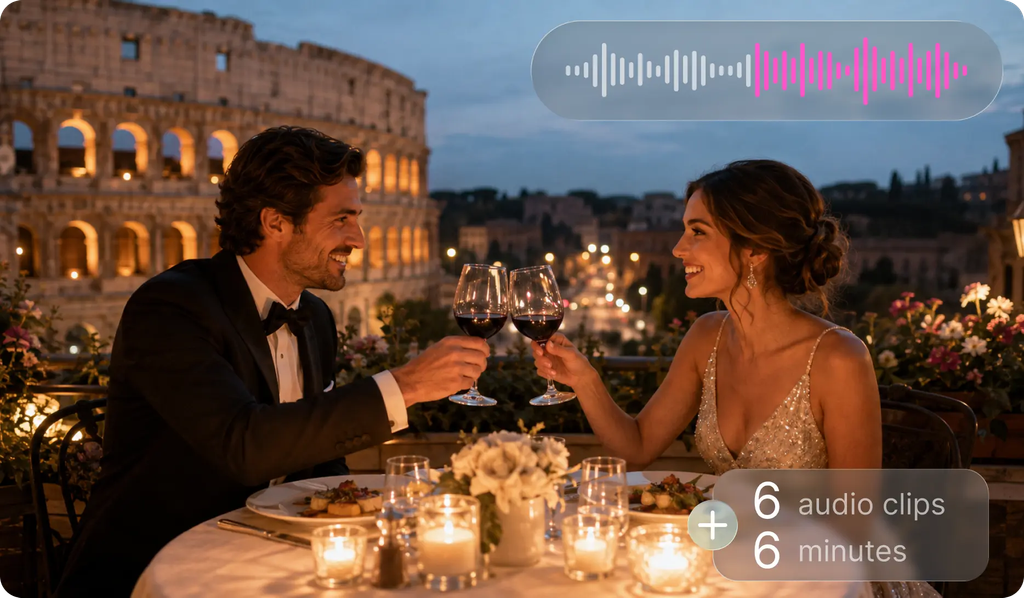
For long scenes, the audio should be consistent throughout the scene. The voice, ambience, or effects may have contributed to a strong sequence if they were not absolutely right. Generation lengths of up to 6 minutes, which is a challenge in the seed industry, are solved by SeedAudio 2.0. It also works with reference voices, timestamps, video awareness, and individual audio tracks. These are the controls that will keep dialogue, music, ambience, and effects in line.
Why Audio Consistency Matters in Long Scenes
Consistent audio can make all scenes feel like a cohesive experience. Volatile voice changes can make the very same character sound like a different voice. In addition, the tone, rhythm, accent, and emotional delivery are crucial for AI dubbing. Ambience should be in harmony with the location, weather, movement, and progression of the scene. Emotional development should be supported by the music and not by an unexpected shift between sections. Actions, distances, environments, and visual events should correspond to the sound effects. Longer scenes need more coordination, since there are more elements that need to be in sync at one time. Pippit aids creators in planning these layers in one generation workflow.
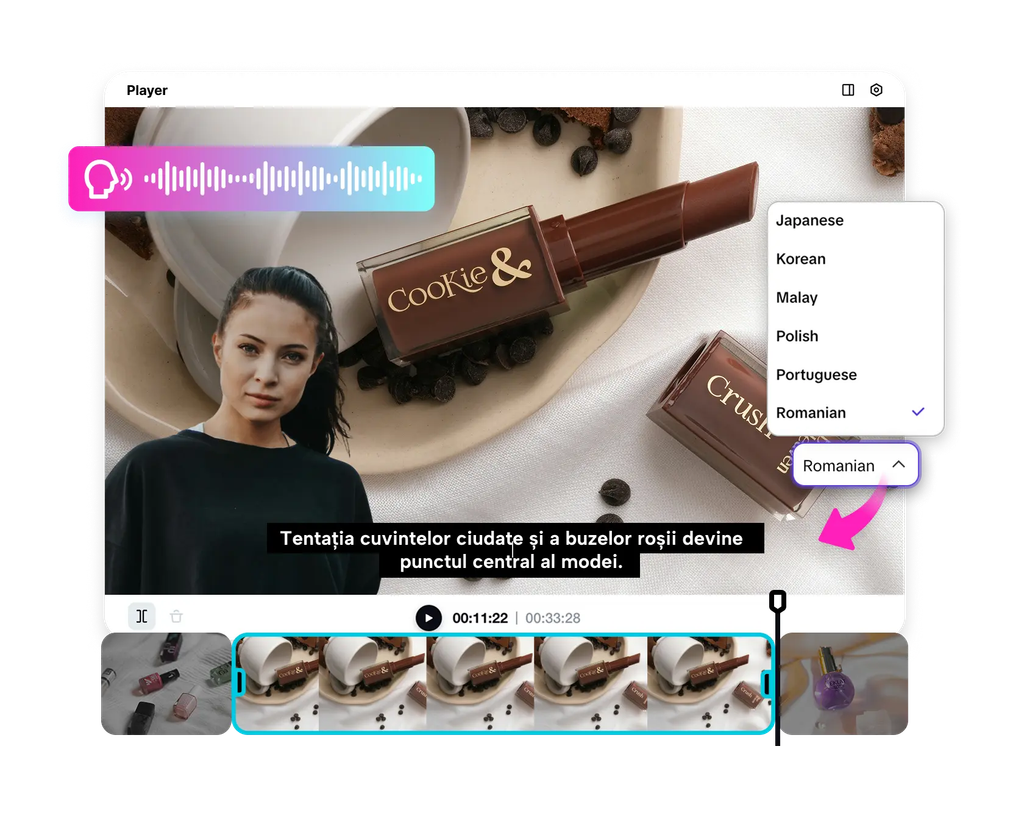
Use the Six-Minute Generation Capacity Effectively
SeedAudio 2.0 increases the max generation time from 2 minutes to 6 minutes! This increase provides creators with more space for continuous narration and longer audiovisual scenes. SeedAudio 2.0 can, therefore, be used in longer creative sequences without too frequent generation interruptions. Longer narration with fewer artificial stopping points can be helpful with audiobook passages. Podcasts can be used to keep a conversation moving throughout more extended portions of a recorded conversation. Dialogue, effects, ambience, and music may be used together in longer structured sequences in an advertisement. Cinematic scenes can also maintain better continuity of changing dialogue and ambient noises. A broader generation window does not dispense with editing or reviewing.
Maintain Character Voice Continuity
Reference audio is a practical approach to having consistent character voices. SeedAudio 2.0 allows up to 6 reference audio files for various speakers. An appropriate reference for each speaker is to be used to represent the intended voice. Character identity can be greatly affected by rhythm, tone, accent, emotion, and expression. These qualities are established with a clear reference, prior to the start of longer dialogue generation. If different voices are important, there should be different references for different characters. Using a different speaker for each person can help minimise confusion when talking to several people at once. Clean speech with sufficient useful speech information should also be included as reference samples.
Steps to Generate Consistent Audio for Long Scenes with Seedanceaudio 2.0
Step 1: Prepare a Long-Scene Audio Plan
- Sign up for Pippit using your Google, TikTok, or Facebook account.
- Open “More” from the left menu and select “Video generator”.
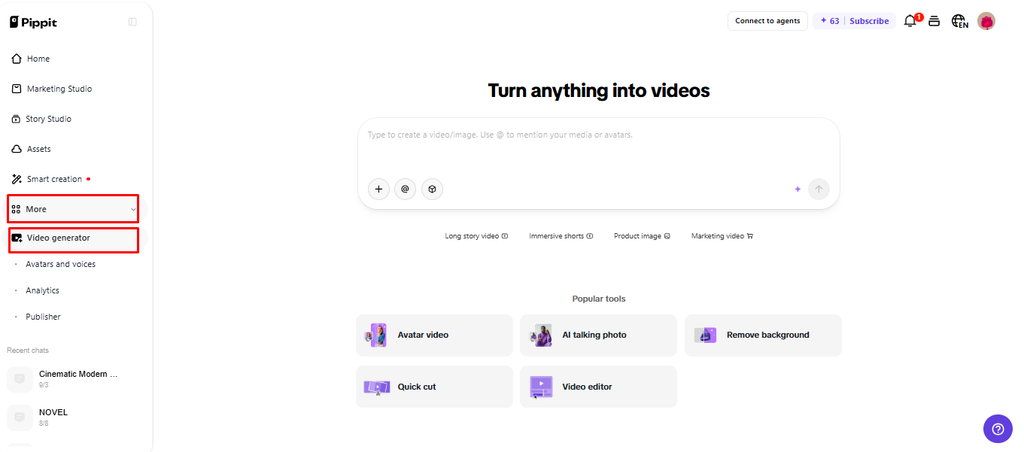
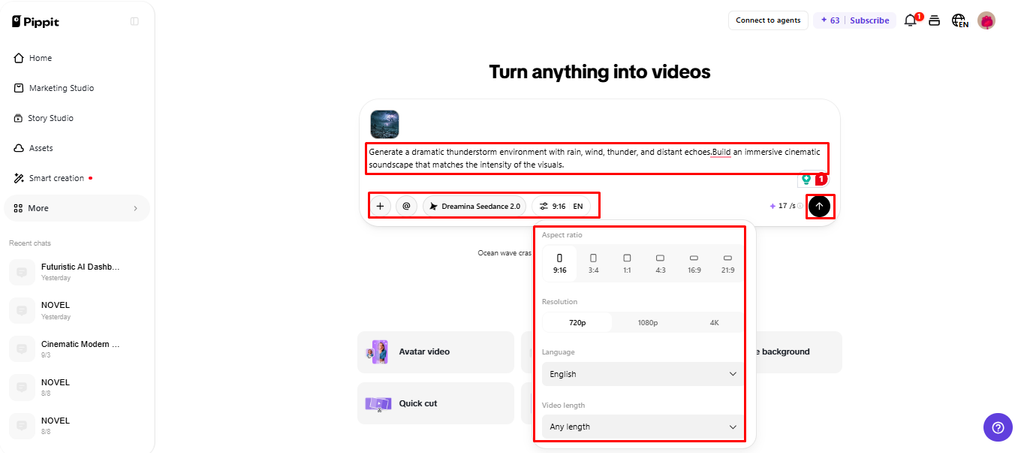
- Choose an AI model such as Dreamina Seedance 2.0.
- Write a detailed prompt covering ambience, effects, music, voice changes, speakers, angles, and text. Keep the audio direction consistent.
- Select the video length, language, subtitles, and aspect ratio.
- Click “+” to upload reference audio, videos from your device, phone, Dropbox, or a link. You can also select assets.
- Review everything and click “Generate”.
Step 2: Review Audio Continuity
- Pippit automatically creates the video using your prompt and reference media or audio.
- The AI handles transitions, pacing, captions, avatars, voice, lyrics, and visual enhancements.
- Watch the full draft and check the audio throughout the scene.
- Listen for changes in voice, ambience, music, pacing, and emotional timing.
- If needed, click “Regenerate” and review the new version.
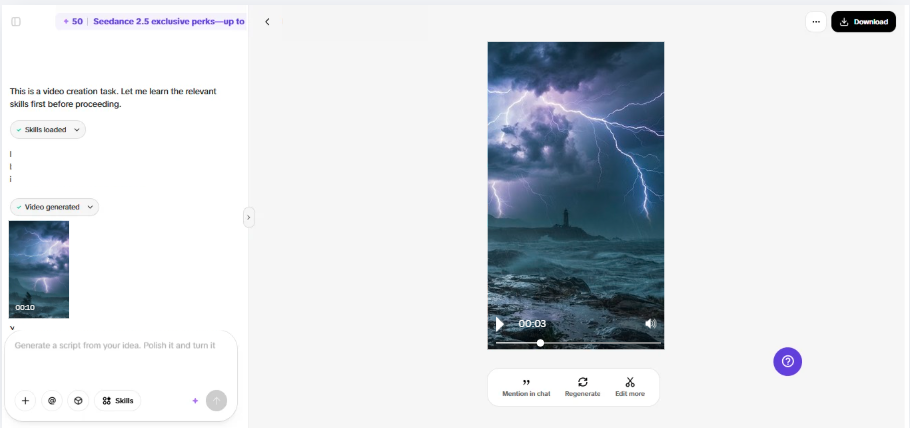
Step 3: Polish the Full Sequence
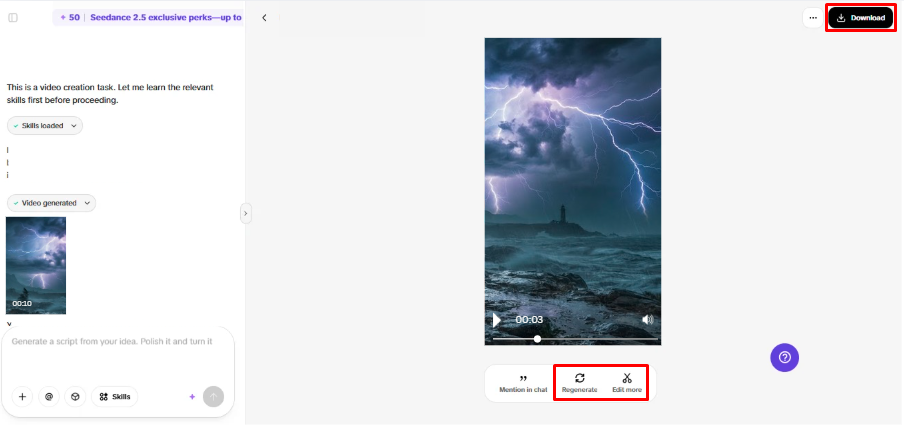
- Click “Download” to save the finished draft locally. You can also click the “Regenerate” tab to generate the video again.
- For changes, select “Edit more” below the video to open the editing interface.
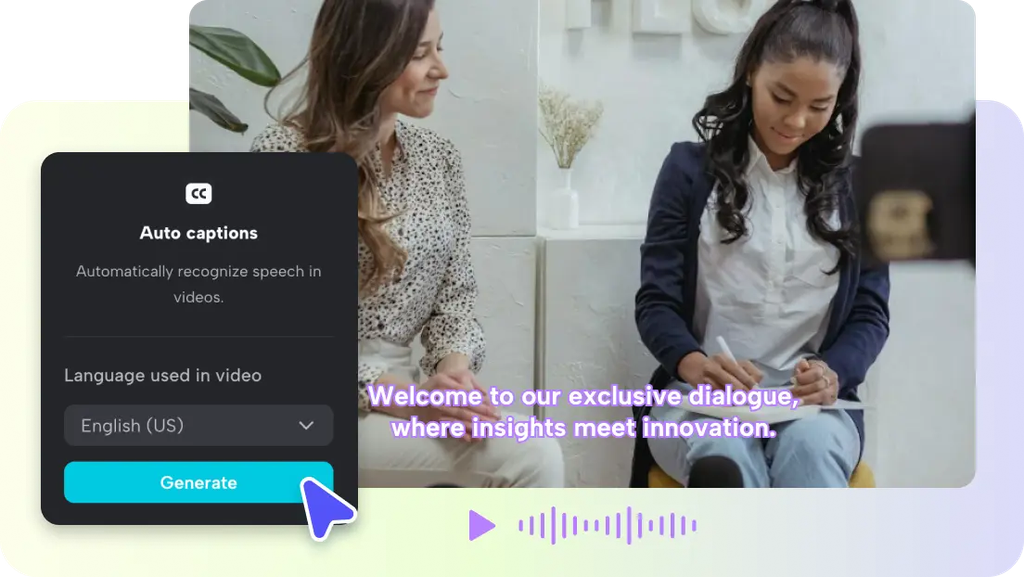
- Edit captions, add text, and adjust size, color, alignment, filters, voice, and effects.
- Add background music, remove backgrounds, control emotional timing, edit sync, and refine visuals.
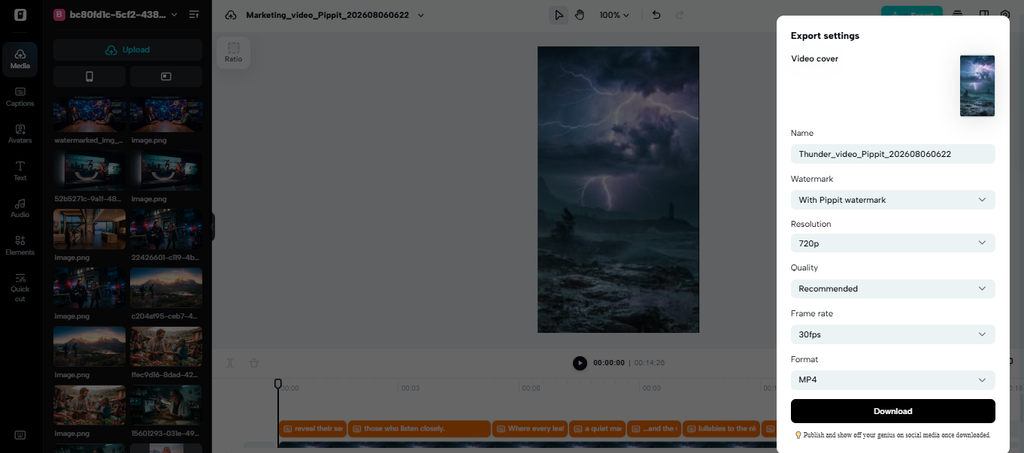
- Click “Export” after checking consistency from start to finish.
- Choose “Publish” for TikTok, Instagram, or Facebook, or “Download” with your preferred format, resolution, frame rate, and quality.
Keep Long-Scene Timing on Track
Timestamp allows you to set significant moments of audio at precise moments. Creators can determine when dialogue, sound effects, or musical cues are needed. This control is particularly helpful when scenes have multiple events planned. Timestamps can be used to set up important statements in longer narration without a lot of manual positioning. Key lines can be set in advertisements with visual or commercial timing. Dialogue for a scene can also be more closely matched to actions already on screen. Deliberate placement of music and voicings can be helpful in AI MV workflows. Precise timing instructions minimise the need to make synchronisation adjustments at a later stage in the editing process.
Preserve Environmental Continuity Over Extended Audio
Long scenes are believable and connected by environmental continuity. Ambience should support the scene and be consistent with the action in the scene. A noisy road shouldn’t sound like a quiet inside room. In the same way, the same dialogue should maintain an appropriate surround texture for each speaker. Music should emerge organically rather than breaking into the scene without any story purpose. Effects should be used to convey visible action and be of an appropriate intensity and spatial quality. Video-aware generation can assist in syncing audio components with critical visual beats. Checking transitional changes is still important, as it’s possible for generated audio to contain inappropriate changes.
Use Separate Tracks for Long-Form Refinement
Projects that are too long to review and correct can be broken up into separate tracks. SeedAudio 2.0 allows you to separate dialogue, ambience, effects, and music into separate tracks. The separation enables editors to modify individual parts without having to rebuild everything. Dialogue volume can vary independently of background ambience and/or music intensity. A problematic effect can also be muted or replaced without having to affect the narration. This method is useful in the case of correcting just a small section of a lengthy scene. Track separation also helps with more accurate final balancing during post-production. The editors can make the dialogue clearer, without losing the detail of the environment behind each speaker.
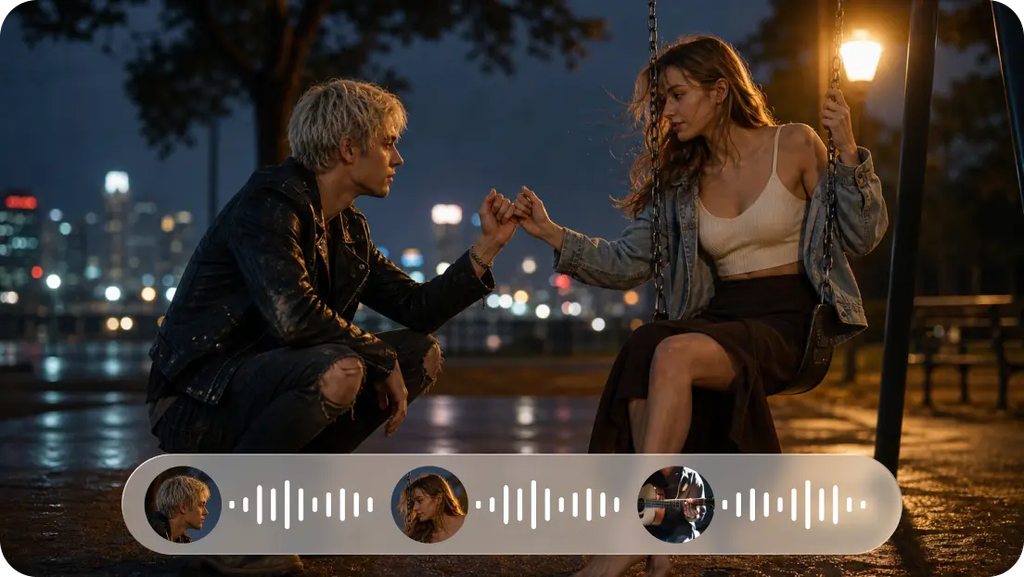
Use Cases
- Audiobook narration: If it is a longer section of narration, it can hold steady voice qualities throughout continuous narration.
- Podcast production: Longer talks can maintain the flow of the moment and less non-essential generation breaks.
- Video dubbing: Voiceover, ambience, effects, and music can be added to existing footage, synced to the beats of the video.
- Advertising: Planned timing of dialogue and sound cues can be followed in structured promotional sequences.
- Animation: Character voices, effects, ambience, and music can be put together in a coordinated soundscape for animation sequences.
- Game content: Layered audio can be used for dialogue, ambience, sounds, and music development.
Conclusion
For long-form audio, it’s more than just speech generation for a few minutes. It demands steady voices, the ability to coordinate timing, compatible ambience, and controllable sound layers. SeedAudio 2.0 allows you to generate 6 minutes in total for wider continuous scenes. Using reference audio can help establish consistent character identities in multi-speaker projects. Timestamp controls for more precise positioning of dialogue, effects, and music. The use of separate tracks allows for easy corrections, without the need for regeneration of the entire scene. Pippit integrates these features in a single process for creating more complex AV scenes as a continuous experience.