
Running out of stock is one of the fastest ways to lose sales in ecommerce. A customer visits your Shopify store, finds the exact product they want, adds it to their cart, and then discovers it is unavailable. In many cases, they do not wait. They leave, buy from a competitor, and may never come back.
If you are wondering how to avoid running out of stock on Shopify, you are already thinking like a smart store owner. Inventory management is not just about counting products. It is about protecting sales, keeping customers happy, and building a business that runs smoothly as you grow.
The good news is that stockouts are often preventable. With the right systems, planning, and tools, you can stay ahead of demand and keep your best-selling products available. In this guide, you will learn practical ways to avoid running out of stock on Shopify while improving customer trust and boosting your long-term success.
Why Running Out of Stock Hurts Your Shopify Store
At first, it may seem like going out of stock is a sign that your products are selling well. While strong demand is a good thing, repeated stockouts can create real problems.
When your store runs out of inventory, you may face:
- Lost sales and missed revenue
- Frustrated customers
- Lower customer loyalty
- Negative brand perception
- Reduced chances of repeat purchases
- Disrupted marketing campaigns
If you are spending money on ads, email marketing, or social media promotions, the last thing you want is to drive traffic to a product that is unavailable. A sold-out item can stop momentum and waste valuable marketing effort.
Understand Your Best-Selling Products

The first step in avoiding stockouts on Shopify is understanding what sells the most. You need clear visibility into your top-performing products, seasonal demand, and customer buying patterns.
Look at your sales reports and ask:
- Which products sell fastest?
- Which items sell more during holidays or special seasons?
- Which sizes, colors, or variants run out first?
- Are there products that suddenly spike after promotions?
When you know which products move quickly, you can prioritize them when reordering stock. Shopify analytics and inventory reports can help you track trends, making it easier to predict what you will need before products go out of stock.
Set Reorder Points for Every Product
A reorder point is the inventory level at which you should restock a product before it runs out. This is one of the most effective ways to prevent stock shortages.
For example, if a product usually takes two weeks to arrive from your supplier and you sell ten units per week, waiting until you have only a few items left is risky. You need to place a new order early enough to cover sales during the supplier lead time.
A simple reorder strategy helps you:
- Know when to buy more stock
- Avoid last-minute panic orders
- Reduce the chance of losing sales
- Keep inventory moving efficiently
Do not rely on guesswork. Even a basic spreadsheet or Shopify inventory app can help you set smarter reorder points.
Track Supplier Lead Times Carefully
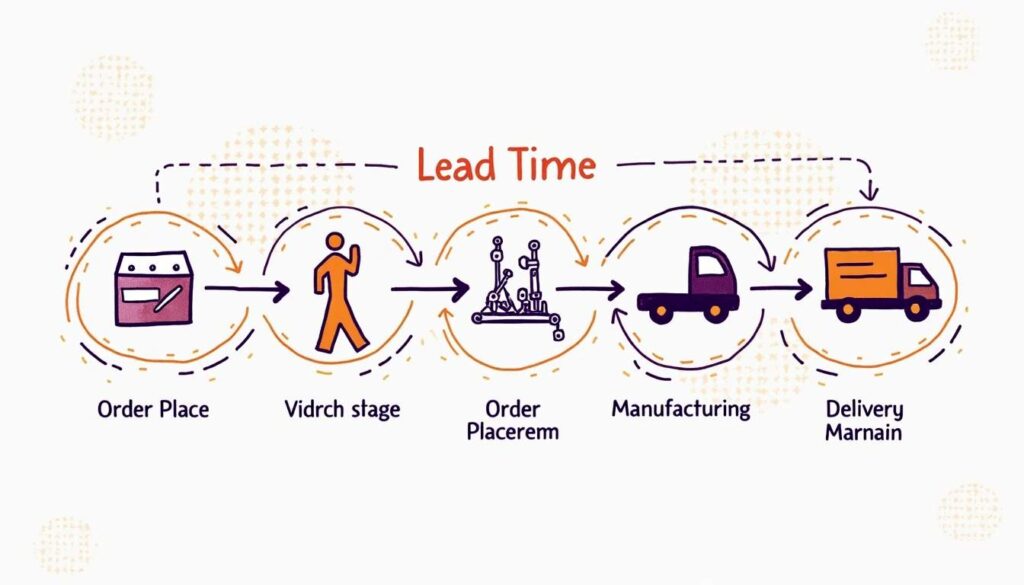
One major reason Shopify stores run out of stock is poor supplier planning. Many store owners know how much to order but forget to factor in how long restocking actually takes.
Lead time includes:
- Production time
- Packing time
- Shipping time
- Customs delays, if applicable
- Warehouse receiving time
If your supplier usually delivers in ten days but sometimes takes twenty, you need to plan for delays, not just the best-case scenario. The more reliable your supplier data is, the better your inventory planning will be.
It is also wise to communicate regularly with suppliers. Ask about possible delays, upcoming shortages, or changes in production. Staying informed helps you react before a stock issue becomes a sales problem.
Use Shopify Inventory Management Tools
Shopify has built-in inventory tracking features that can help you monitor stock levels in real time. If you are not using them properly, you may be missing an easy way to stay organized.
Through Shopify, you can:
- Track inventory by product and variant
- See when stock is running low
- Manage inventory across multiple locations
- Set stock quantities manually or through apps
As your business grows, you may also want to explore Shopify inventory management apps. These tools can help with forecasting, automated alerts, purchase orders, and syncing stock across different sales channels. To further enhance purchasing and spend control alongside inventory processes, procurify alternatives can offer more flexible features that integrate procurement workflows with your growing business needs.
The goal is to make inventory tracking part of your daily business routine, not something you check only when a product is already sold out.
Forecast Demand Instead of Reacting to It
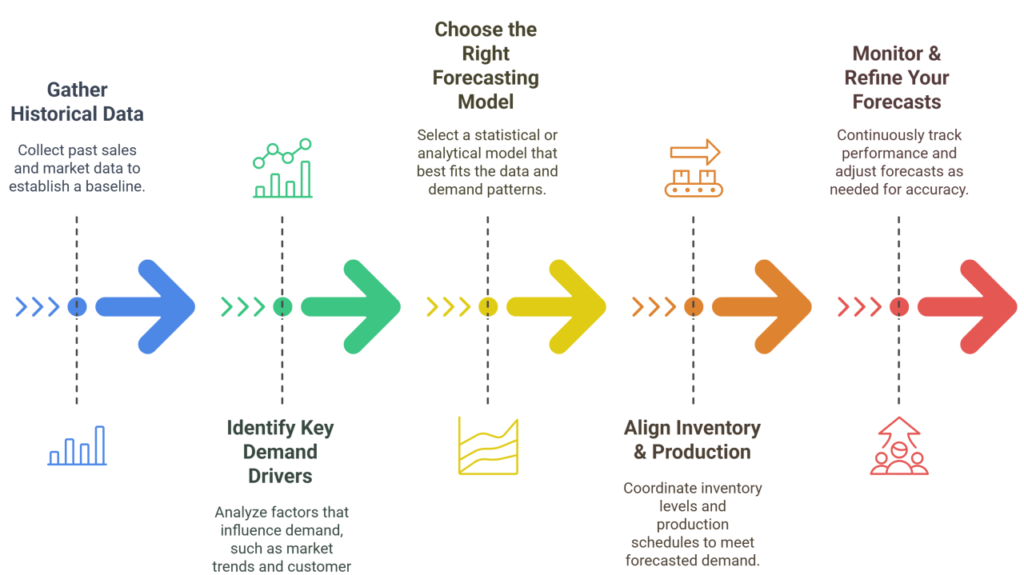
One of the best ways to avoid running out of stock on Shopify is to forecast demand. This means planning ahead based on past sales data, upcoming promotions, and seasonal trends.
For example, if you know your skincare gift sets always sell quickly in November and December, you should prepare inventory long before the holiday season begins. If you are launching an influencer campaign or a big discount event, expect increased demand and stock up in advance.
Demand forecasting does not need to be perfect. It just needs to be thoughtful. Use available data to make informed decisions rather than waiting until sales spikes catch you off guard.
Keep Safety Stock for Popular Items
Safety stock is extra inventory kept as a buffer in case demand suddenly increases or suppliers are delayed. Think of it as emergency backup stock for your most important products.
This is especially useful if:
- You sell fast-moving items
- Your supplier lead times are inconsistent
- You experience seasonal surges
- You run frequent promotions
- Your products are difficult to restock quickly
Holding a little extra inventory may cost more upfront, but it can save you from losing much more in missed sales. For many Shopify stores, safety stock is one of the simplest and smartest ways to stay ready.
Avoid Overstocking Slow-Moving Products
While this article focuses on avoiding stockouts, good inventory management is about balance. Ordering too much of the wrong product can tie up cash, fill storage space, and create waste.
Not every product needs large stock levels. Focus your inventory investment on the items that consistently perform well. Review slow-moving products regularly and decide whether to reorder them in smaller quantities, bundle them, discount them, or phase them out.
A balanced inventory strategy gives you more room to keep best-sellers in stock without overspending on products that do not sell often.
Create Back-in-Stock Alerts for Customers
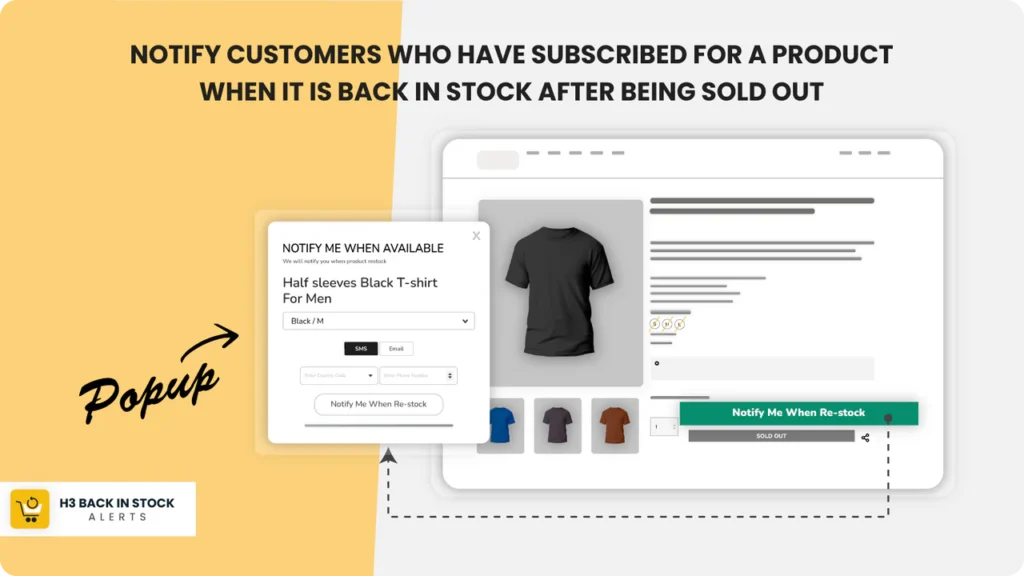
Even with strong planning, some products may still sell out occasionally. When that happens, do not lose the customer completely. Instead, give them a way to stay connected.
Back-in-stock alerts allow customers to sign up for notifications when an item becomes available again. This can help you recover sales that would otherwise be lost.
These alerts also provide useful data. If many customers request notifications for the same product, you know there is strong demand and can prioritize restocking. This turns a temporary stock issue into an opportunity to learn more about what your customers want.
Sync Inventory Across Sales Channels
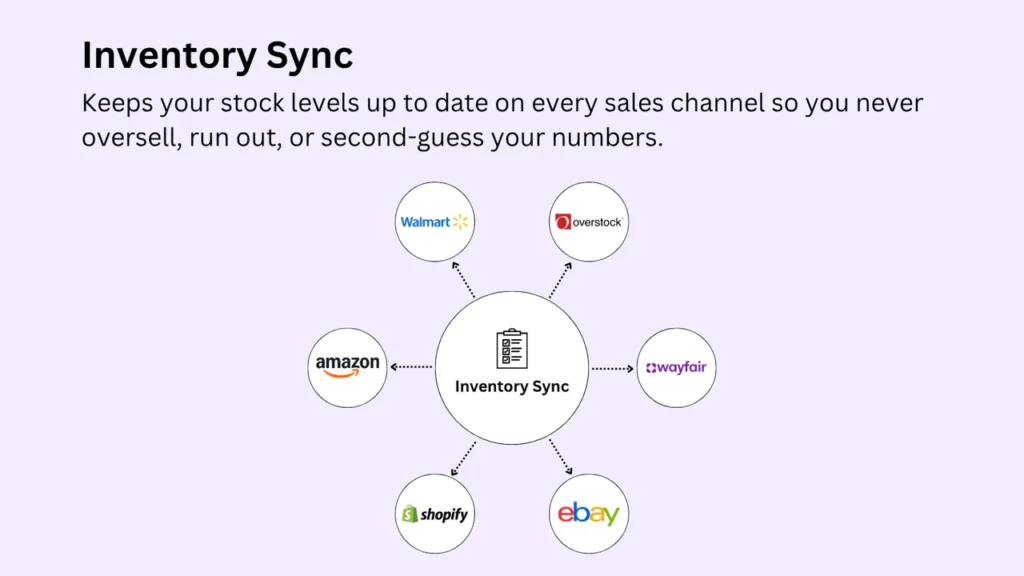
If you sell not only on Shopify but also through marketplaces, social platforms, or retail locations, inventory syncing is essential. Without a unified system, it becomes easy to oversell products and accidentally run out of stock.
Make sure your inventory updates automatically across all channels. This reduces errors and gives you a more accurate picture of what is actually available.
When inventory is managed in one central place, you can make better decisions and avoid unpleasant surprises.
Review Inventory Performance Regularly
Inventory management is not something you set once and forget. Your sales patterns, supplier performance, and customer demand can all change over time. That is why regular review matters.
Set time aside every week or month to check:
- Low-stock items
- Fast-selling products
- Supplier delays
- Seasonal demand shifts
- Inventory turnover rates
The more often you review your numbers, the easier it becomes to catch problems early and make adjustments before stock runs out.
Final Thoughts: How to Avoid Running Out of Stock on Shopify
If you want to know how to avoid running out of stock on Shopify, the answer comes down to planning, tracking, and staying proactive. Understand your best-selling products, set reorder points, monitor supplier lead times, use Shopify inventory tools, and keep safety stock where it makes sense.
Stockouts do not just affect inventory. They affect customer trust, brand reputation, and revenue. By improving your inventory strategy, you create a better shopping experience and a stronger business.
The most successful Shopify stores are not simply good at selling. They are good at staying ready. When your products are available at the right time, your customers are more likely to buy, return, and recommend your store to others.
This is a really practical guide to preventing stockouts, especially the part about setting reorder points and tracking supplier lead times. I’ve found that combining those strategies with regular demand forecasting has made a huge difference in keeping my top products in stock. It’s easy to get caught off guard, but planning ahead really does pay off.
Inventory management is often the most overlooked aspect of scaling a store, so this is a great reminder that data-driven forecasting is essential. I particularly agree that tracking supplier lead times is the real make-or-break factor; even the best sales team can’t overcome a disconnect in the supply chain.
Managing inventory is truly about maintaining customer trust rather than just keeping numbers in check. I found the emphasis on setting reorder points particularly useful, as it forces you to prioritize operational health before a stockout crisis even occurs.
I never fully appreciated how much a single stockout impacts long-term customer retention until I looked closer at my own churn rates. Your point about shifting from reactive tracking to proactive demand forecasting is spot on; it’s really the only way to scale sustainably without constant supply chain headaches.
This is a great breakdown of why inventory management is the real backbone of sustainable growth. Understanding supplier lead times vs. actual demand forecasting is often the missing link for store owners trying to avoid that frustrating ‘out of stock’ cycle.
The point about shifting from reactive inventory tracking to proactive demand forecasting is spot on, as losing a customer to a competitor over a stockout is a preventable blow to growth. Neglecting these backend systems is often the biggest hurdle for scaling stores, so I really appreciate the emphasis on setting clear reorder points early.
Focusing on forecasting demand rather than just reacting to it is such a crucial shift for growing Shopify stores, especially when balancing supplier lead times. It really highlights that inventory management is more about protecting customer trust than simply counting boxes. This article perfectly captures how proactive planning can prevent those frustrating lost sales moments.
The section on forecasting demand versus reacting really hits home, as reactive restocking often leads to those costly gaps you mentioned. It is true that simply counting inventory isn’t the solution; understanding lead times and prioritizing best-sellers creates a much smoother buying experience. This approach not only prevents lost sales but also builds the kind of reliability that keeps customers coming back for the long haul.