How to Delete Resumes on LinkedIn?
Managing your LinkedIn profile is an important part of maintaining a professional online presence. Over time, you may upload multiple resumes while applying for different jobs, updating skills, or changing career paths. Knowing how to delete resumes on LinkedIn helps you keep your profile organized, secure, and relevant to recruiters.
In this complete SEO-optimized guide, you’ll learn how to remove resumes from LinkedIn, why it matters, and best practices for managing your job application documents effectively.
Why You Should Delete Old Resumes on LinkedIn
Many users upload resumes and forget about them later. However, keeping outdated resumes can create confusion for recruiters and may even affect your job opportunities.
Here’s why deleting old resumes is important:
- Prevents recruiters from seeing outdated information
- Protects personal data and privacy
- Keeps your professional profile clean
- Ensures only your latest experience is visible
- Improves credibility during job applications
A well-managed LinkedIn account shows professionalism and attention to detail.
Where LinkedIn Stores Your Resumes
Before deleting resumes, it’s helpful to understand where LinkedIn saves them. LinkedIn stores resumes mainly in two places:
- Job Application Settings (Easy Apply resumes)
- Featured or Profile Media section
You may need to check both areas to fully remove uploaded resumes.
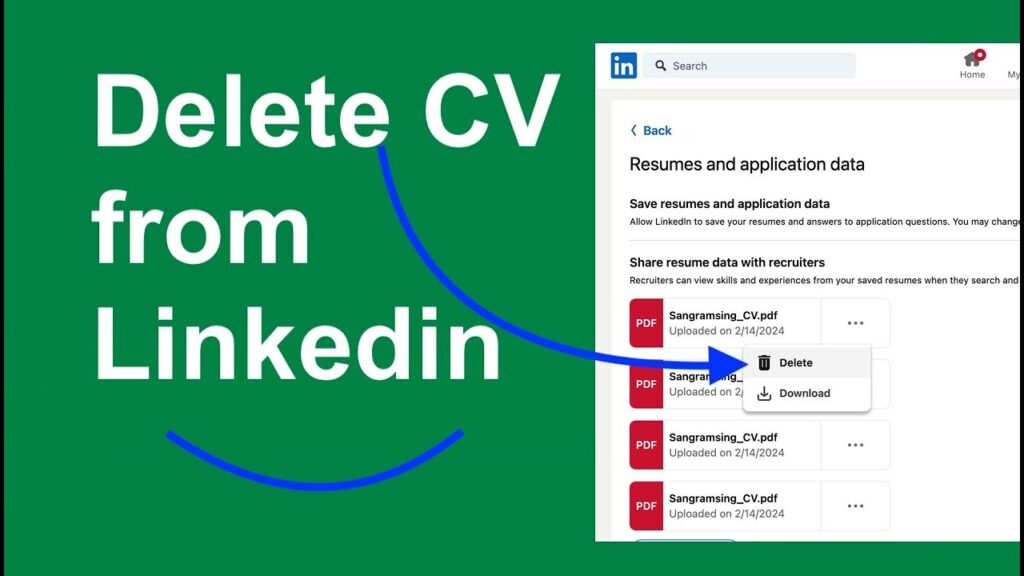
Method 1: Delete Resume from LinkedIn Job Application Settings
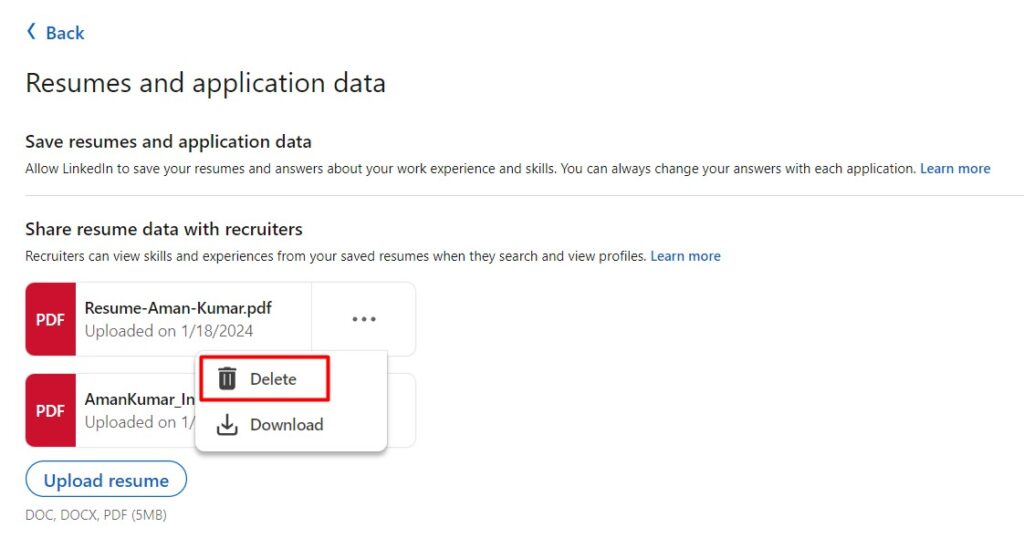
This is the most common place where resumes are saved, especially if you used the Easy Apply feature.
Follow these steps:
- Log in to your LinkedIn account
- Click Jobs from the top menu
- Select Application Settings
- Find the Resumes section
- Locate the resume you want to delete
- Click the three dots or Delete option
- Confirm removal
Your resume will be permanently removed from LinkedIn’s saved documents.
Method 2: Remove Resume from Your LinkedIn Profile

Sometimes users upload resumes directly to their profile as media files.
Steps to remove it:
- Go to your LinkedIn Profile
- Scroll to the Featured section
- Find your uploaded resume
- Click the Edit (pencil icon)
- Select Remove
- Save changes
This ensures visitors cannot download or view your resume anymore.
Method 3: Delete Resume from Past Job Applications
LinkedIn may still show resumes attached to previous applications.
While you cannot remove resumes from submitted applications entirely, deleting saved resumes prevents future reuse.
Tip: Always upload an updated resume when applying for new jobs.
Important Things to Know Before Deleting a Resume
Before removing your resume, keep these points in mind:
- Deleted resumes cannot be recovered
- Old job applications will remain submitted
- You may need to upload a new resume later
- Download a backup copy before deleting
Keeping a personal backup is always recommended.
Best Practices for Managing Resumes on LinkedIn
To improve your job search results, follow these expert tips:
✅ Keep Only One Updated Resume
Avoid uploading multiple versions unless necessary.
✅ Update Resume Regularly
Refresh your resume every few months with new skills and achievements.
✅ Use Keyword Optimization
Include industry keywords so recruiters can find you easily.
✅ Protect Sensitive Information
Avoid including full addresses or personal identification details.
✅ Match Resume with LinkedIn Profile
Ensure your resume and profile information are consistent.
Common Problems Users Face
Here are some issues people experience when trying to delete resumes:
Resume not visible in settings
→ Check the Featured section on your profile.
Delete option missing
→ Make sure you are logged into the correct account.
Old resume still appearing
→ Clear browser cache or refresh the page.
These small fixes usually solve the problem quickly.
How Deleting Old Resumes Helps Your LinkedIn SEO
Yes — even resume management can impact visibility.
When your profile stays updated:
- Recruiters trust your profile more
- Search ranking improves in recruiter searches
- Profile engagement increases
- Job match accuracy becomes better
LinkedIn’s algorithm favors active and updated profiles.
Frequently Asked Questions
Can recruiters still see deleted resumes?
No. Once deleted, the resume is no longer accessible in your saved documents.
Will deleting a resume cancel job applications?
No. Applications already submitted remain active.
Can I upload a new resume later?
Yes, you can upload a new resume anytime.
Final Thoughts
Learning how to delete resumes on LinkedIn is a small but powerful step toward managing your professional brand online. Removing outdated resumes helps protect your privacy, improves profile clarity, and ensures recruiters see the most accurate version of your experience.
Regularly reviewing and updating your LinkedIn documents keeps your job search organized and increases your chances of making a strong impression. A clean and updated profile shows professionalism — and that can make all the difference in today’s competitive job market.